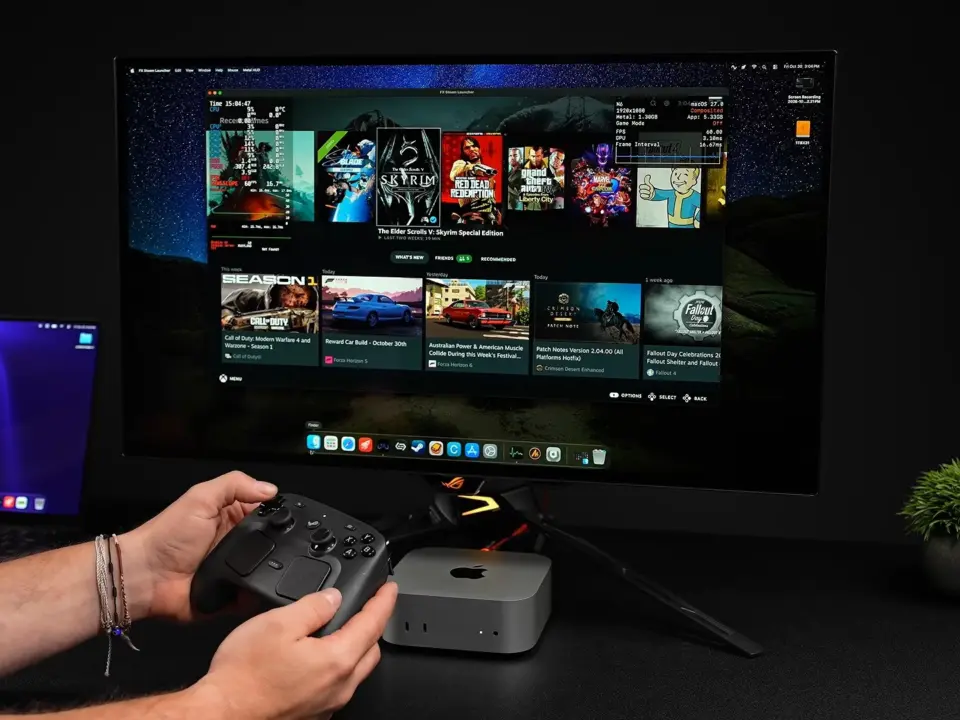
FX Steam Launcher enables you to play PC games on Apple Macs, thanks to SteamOS running within a virtual machine on macOS. FX Steam Launcher is a third-party effort that allows you to run Windows-exclusive games on your Apple Silicon without resorting to dual-booting. If you’ve purchased a Mac with the intention to also use it for gaming, here’s another piece of software to take a look at.
Third-party tool ports SteamOS to macOS for Apple Silicon gaming
The software enables you to run PC games on your Mac via an embedded SteamOS (Arm64) running on top of macOS inside a virtual environment. ETA Prime tried it out on a MacBook Pro with Apple M4 Max chip. It is layered on top of Apple silicon using an architecture that introduces 6 different layers between the Steam client and Apple silicon.
- Game: The Witcher 3: 70+ FPS at 1080p, high settings on Apple M4 Max
- Game: Left4Dead 2: 140+ FPS average on Apple M4 Max
- Game: Fallout 4: Locked 60 FPS at 1080p, medium settings on Apple M4 Max
- Game: Red Dead Redemption 1: 70+ FPS average at 1080p, medium settings on Apple M4 Max
- Game: Helldivers 2: 99.5% launch rate, median 55 FPS on Apple M5/M4 Pro/M1 Max
Some of the games showed amazing performance – like The Witcher 3 with 70+ FPS at 1080p (high settings). Others like Left4Dead 2 did great with 140+ FPS average on the same rig. In Fallout 4, you could get a steady 60 FPS lock at 1080p with medium settings.
On Red Dead Redemption 1, it showed an average of 70+ FPS at 1080p (medium settings). Helldivers 2 has a 99.5% launch rate with a 55 FPS median on M5, M4 Pro, M1 Max. The architecture (6 layers) can lead to graphical bugs because of the complexity.
It’s an active project on GitHub. So it’s in development. Not an official offering from Valve or Apple.
We did cover the last FX Steam Launcher update. It had some of the same themes on balance and stability.
Source: NotebookCheck



Six layers of abstraction on Apple silicon will kill performance. This is just virtualization wrappering with extra steps.