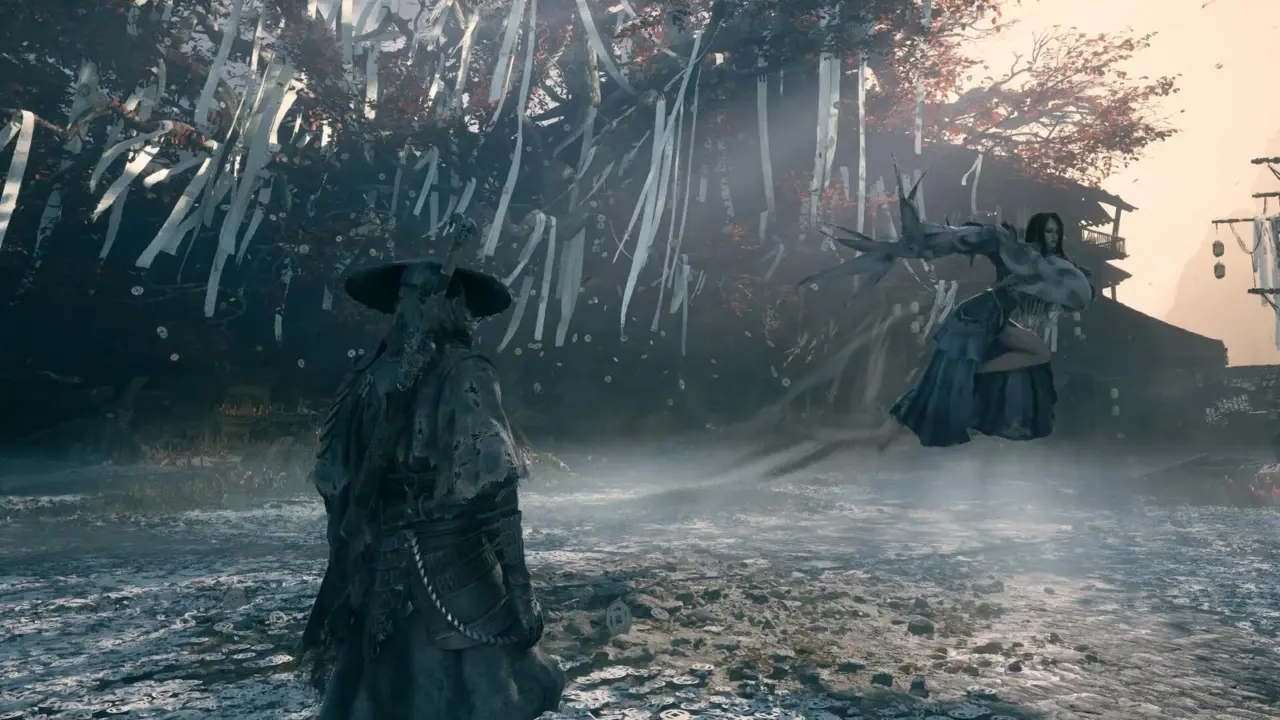
If you're playing Phantom Blade Zero on PC at 1440p, then you're likely seeing some pretty blurry visuals – and you have to make a manual change to fix it. This Unreal Engine 5 game from S-Game is only running at 85% of the chosen resolution, trading clarity for framerate. If you want it to look its best, you'll need to turn off this 'Super Resolution Output Scale' option, ASAP.
How to fix blurry visuals in Phantom Blade Zero at 1440p
The way the visuals work here has been detailed by content creator, Daniel Owen. In this case, we have a situation where the game is intentionally dropping internal resolution for better framerates. It's a standard method of optimization we often see these days in PC games. However, this does have an effect on visual quality for people wanting native resolution output.
As seen in testing by Owen, turning off the scaling option, or using DLSS Quality, makes a big difference in terms of sharpness. Phantom Blade Zero's default setting of Super Resolution Output Scale, when set to 1440p, is 85%. That's why there's a lot of blur going on here, as a result of dropped internal resolution.
Turning to the performance side of things, DLSS Performance mode gives you about 70 FPS in 1440p. DLSS Quality does drop to around 60 FPS, but you get a clearer image. Note: no ray tracing here, as they're instead using high quality static lighting. So you can go for more frames in Performance mode, or more sharpness in Quality mode.
This comes after the last Phantom Blade Zero update, where we had similar balance and stability topics. This new issue does show the challenge with Unreal Engine 5 optimization for PC. You can fix this blur by simply tweaking your DLSS options to suit your hardware.
Source: IXBT
Default 85% scaling is lazy optimization. Just set it to 100% or use DLSS Quality.
Unreal Engine 5 developers often prioritize frame pacing over static clarity. It is a known tradeoff in modern rendering pipelines.
Does enabling DLSS Quality drop the framerate below 60 fps on mid range hardware, or is it stable? I need to know before I tweak my settings.
The article states DLSS Quality holds around 60 fps at 1440p. Performance mode hits 70 fps. Stick to Quality for sharpness if you can tolerate the lower frame rate.