AMD AMD Gainsborough APU Leaked With 2,400 MHz iGPU and 24 GB of DDR5-9600 GAMES Whispers in the Fog Gameplay Teaser Reveals First-Person Psychological Horror Mechanics GAMES Unofficial Tekken 6 PC Port Adds Rollback Netcode and 4K Graphics STEAM Fish Them All! demo launches on Steam Next Fest with 100 million fish goal and UFO automation STEAM Indie dev threatens $200 Steam item ransom for AI clone of Dragon’s Chronicles FSR Horizon Forbidden West Playable Badge Misleading as Steam Deck Performance Drops to 19 FPS ANDROID Samsung Galaxy XCover Scan leaks with built-in UHF RFID chip AMD AMD Ryzen AI 7 HX 455 leaks with 8 cores and 16-CU Radeon 890M GPU STEAM PAYDAY: Aces High launches November 5 for $24.99 on SteamVR and Quest STEAM RPG Maker U2U Map Data Created in Free Demo Carries Over to Full Release NINTENDO Zelda Ocarina of Time 3D Switch 2 download size leaks at 27 GB, largest mainline entry GAMES Call of Duty: Modern Warfare 4 Patch 1.110 Fixes Credits Bug but Stucks Some Players in Opening Menu GAMES Kuro Game’s Phantom Blade Zero Hits Xbox Game Pass, Enabling Free Play for Subscribers NVIDIA GTA 5 mod lets you talk to every NPC in cloned voices with under 1 second latency

Windows 11 Update Finally Lets You Move Taskbar to Any Edge of Screen

Lena Fischer 2 min read

Microsoft rolls out Windows 11 Build 26300.8493 with a movable taskbar, compact mode, and Start menu toggles for Insiders in the Experimental channel.

Windows 11 Update Finally Lets You Move Taskbar to Any Edge of Screen
SOFTWARE AND UPDATES

Microsoft is rolling out a Windows 11 update that finally lets users move the taskbar to any edge of the screen. The change is available in Build 26300.8493 for Windows Insiders in the Experimental channel.

Taskbar now movable to any screen edge

Users can place the taskbar at the top, bottom, left, or right. Icon alignment adjusts per position, and flyouts open relative to the taskbar location. A compact taskbar option reduces icon size and height for smaller screens. The Start menu gains section-level toggles for Pinned, Recommended (renamed to Recent), and All sections. Users can lock the Start menu size and hide their name and profile picture.
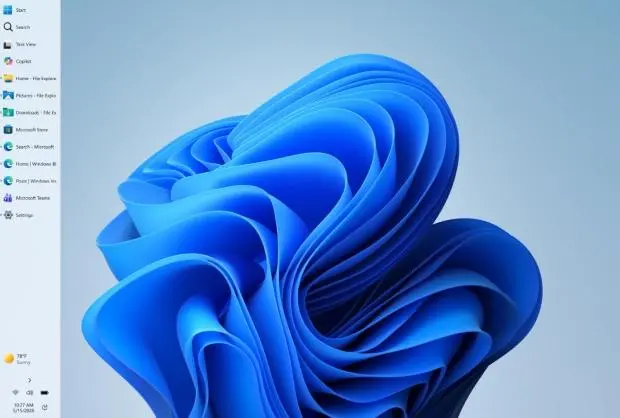
Windows 11 taskbar positioned at top of screen with icons
The taskbar can now be placed on any edge of the display.

The update is available now for Windows Insiders in the Experimental channel. Microsoft has not announced a broader release date.

The taskbar has not been movable in Windows 11 since its launch. Microsoft previously removed the feature that was present in earlier Windows versions. The company is now testing its return as part of ongoing improvements to the operating system.
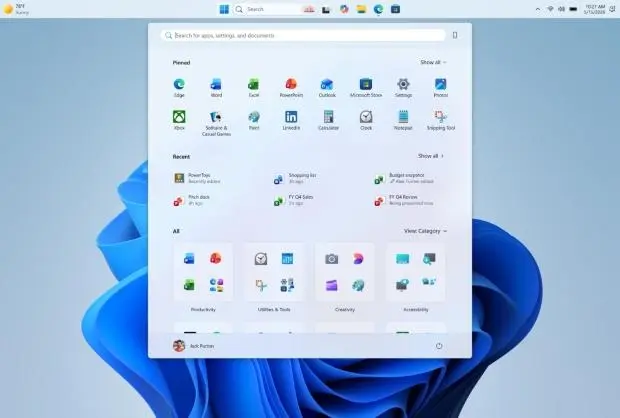
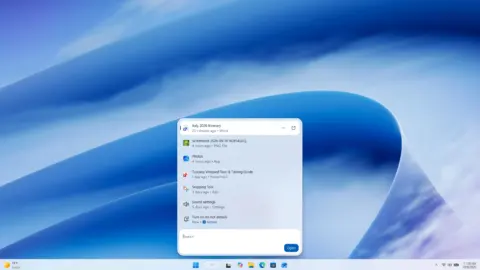
Windows 11 Start menu with section toggles for Pinned and Recent
Start menu now offers per-section visibility controls.

The Windows Insider team announced the changes in a blog post. Some features may not work in all taskbar positions yet, and Microsoft has not confirmed when they will be completed.

Source: TweakTown