
STEAM Valve adds bouncing DVD-style screensaver and custom upload support to Steam Big Picture mode NINTENDO Harold Halibut arrives on Switch 2 on November 12 STEAM 4 Penny Coffins launches October 27 with 8-player social deduction STEAM Acts of Blood launches December 4 for PC, console versions delayed until 2027 GAMES Blizzard confirms World of Warcraft: Forever will not modernize Classic classes, adding mechanics only to those deemed too simple CONSOLES Horizon Forbidden West and Mafia: The Old Country join PlayStation Plus in October GAMES GTA III Cover Art Created in Two Evenings After 9/11 Forced Original Burning Buildings Design to Be Scrapped GAMES Rockstar Games drops full realism for GTA 6 bottle animations to keep gameplay flowing DLSS NVIDIA Broadcast 2.3.0 ports RTX Video Super Resolution and Frame Generation to app LINUX Epic Games rebuilds Easy Anti-Cheat for Linux with Fortnite as the live test case GAMES The Witcher 3 developer explains hidden rabbit scene as narrative hint for Geralt and Keira STEAM CritTeam releases PvE extraction shooter No Such Place on Steam with co-op support STEAM Gaming factory announces JDM: Ph4ntom Driver, a supernatural arcade racing spinoff GAMES Riot Games Shuts Down League Classic Permanent Mode on January 6, 2027

Valve adds bouncing DVD-style screensaver and custom upload support to Steam Big Picture mode

NicoGG 0 comments 2 min read

Valve's latest Steam update brings a bouncing DVD- style screensaver to Big Picture mode, custom upload support, a personal release calendar, and faster client launch times.

Valve adds bouncing DVD-style screensaver and custom upload support to Steam Big Picture mode
SOFTWARE AND UPDATES

In October, rolled out a significant update to the client, offering a nostalgic visual experience and several useful new features. The standout element is the 'bouncing' screensaver in Big Picture mode, which evokes the nostalgic DVD logo animation of early 2000s. The update is significant as it introduces a bit of personality to the platform while offering enhanced control over library management and system efficiency.
Steam Big Picture mode interface showing the bouncing DVD-style screensaver
The new bouncing screensaver in Big Picture mode evokes early 2000s DVD logos.

Nostalgic animation joins personal release calendar and faster startup

The update is specific to the Steam client software, with a focus on UI improvements and backend efficiency. Specifically, the update introduces enhanced customization options for the screen layout in Big Picture mode, Steam's living room-oriented UI. This feature empowers users to personalize the look and feel, ensuring a seamless experience when switching between desktop and TV modes.

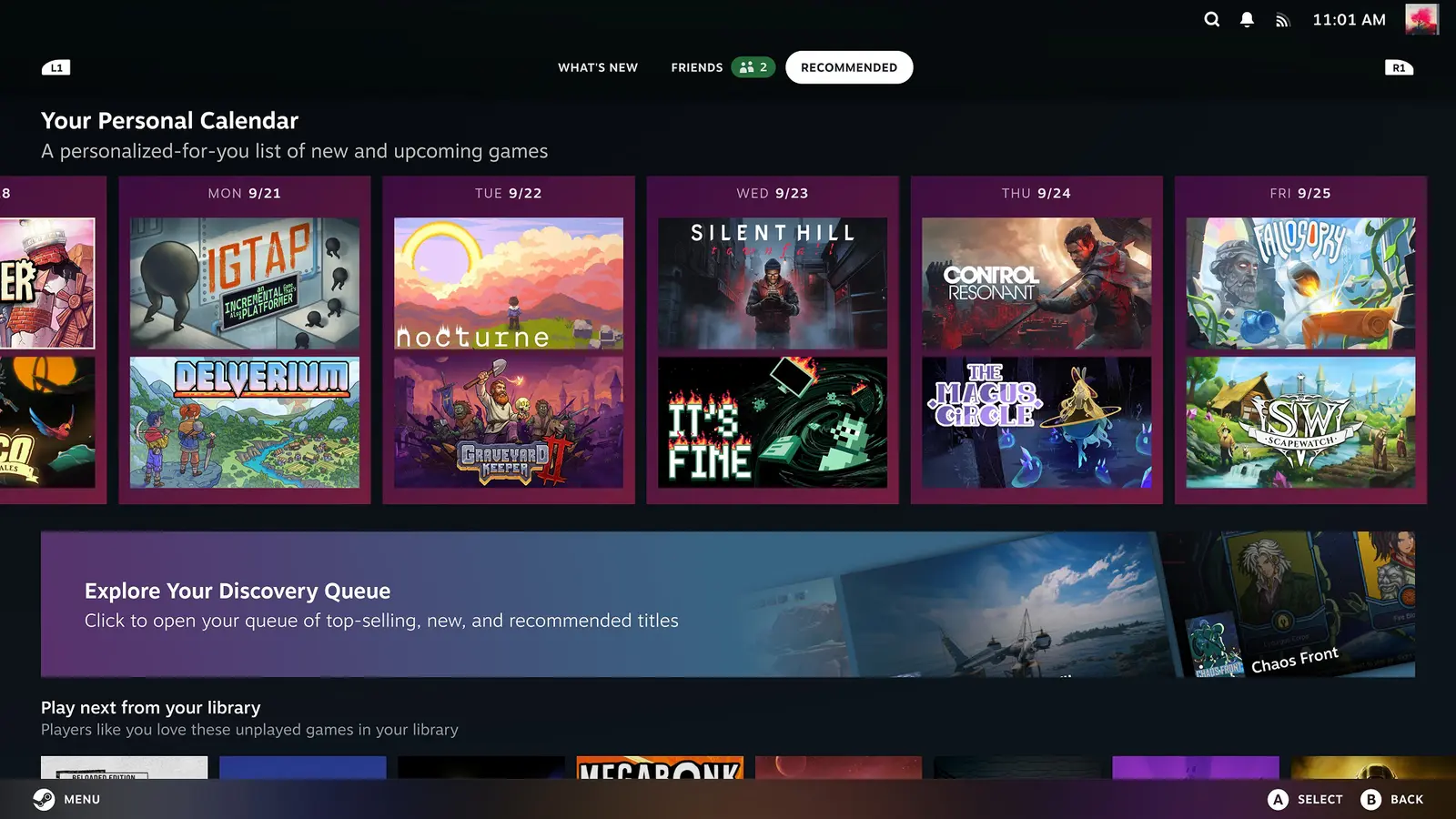
On the technical front, the update optimizes the client startup process, promising faster load times when launching the Steam application. Moreover, the 'Recommendations' tab now features a personal release calendar. This new feature assists users in keeping better track of upcoming game releases. The update strikes a balance between visual appeal and functional enhancements, enhancing the user experience.

Customization enthusiasts will be pleased with the ability to upload custom screensavers to the config\uioverrides\screensavers folder. This feature empowers users to swap out the default bouncing logo with their own custom screensavers or videos. The direct editability of these files introduces a new level of customization not previously accessible within the standard client.

Source: IXBT

Discussion

0 comments

Leave a comment