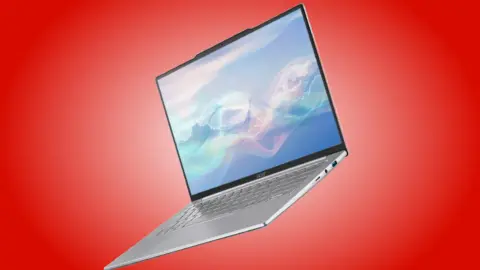
Mouse Computer has released the X2, a 12.2-inch laptop designed for users who prioritize portability without sacrificing screen real estate. At 981 grams, the device offers a lightweight form factor that stands out in a market where 12-inch laptops often feel cramped. Buyers looking for a compact machine with a 16:10 aspect ratio display will find this configuration relevant for travel or small desk setups.
Lightweight 981g chassis with expandable RAM and Wi-Fi 7 connectivity
The laptop runs on AMD Ryzen AI processors, with three distinct APU options available to match different performance needs. The base model uses the Ryzen 5 216, while higher tiers step up to the Ryzen AI 5 340 and the Ryzen AI 7 350. Mouse Computer claims the Ryzen 5 216 performs similarly to the older Ryzen 5 8540U, providing a familiar baseline for users tracking AMD's chip hierarchy.
Specifications
- Display Size: 12.2-inch
- Display Resolution: 1920×1200
- Display Color Gamut: 100% sRGB
- Weight: 981 g
- Battery: 60 Wh
Under the hood, the X2 features a 12.2-inch 1920×1200 display that covers 100% of the sRGB color gamut. It ships with 16 GB of DDR5 RAM, which users can expand to 32 GB using an empty SODIMM slot. Storage is handled by a 500 GB NVMe M.2 SSD, and connectivity includes Wi-Fi 7, Bluetooth 5, and a Gigabit LAN port.
Pricing for the Ryzen AI 5 variant starts at 239,800 JPY (around $1,553), which converts to approximately $1,553. The more powerful Ryzen AI 7 model costs 259,000 JPY (around $1,678), or around $1,678. These units are currently available for purchase directly through the company's official e-store in Japan.
International buyers should note that Mouse Computer does not typically launch products globally, so importing the device is the primary option for overseas customers. The laptop ships with a single-channel RAM configuration, meaning performance may be lower out of the box until users install a second stick. We looked at previous compact laptop launches while tracking this release to understand the brand's market positioning.
Source: NotebookCheck