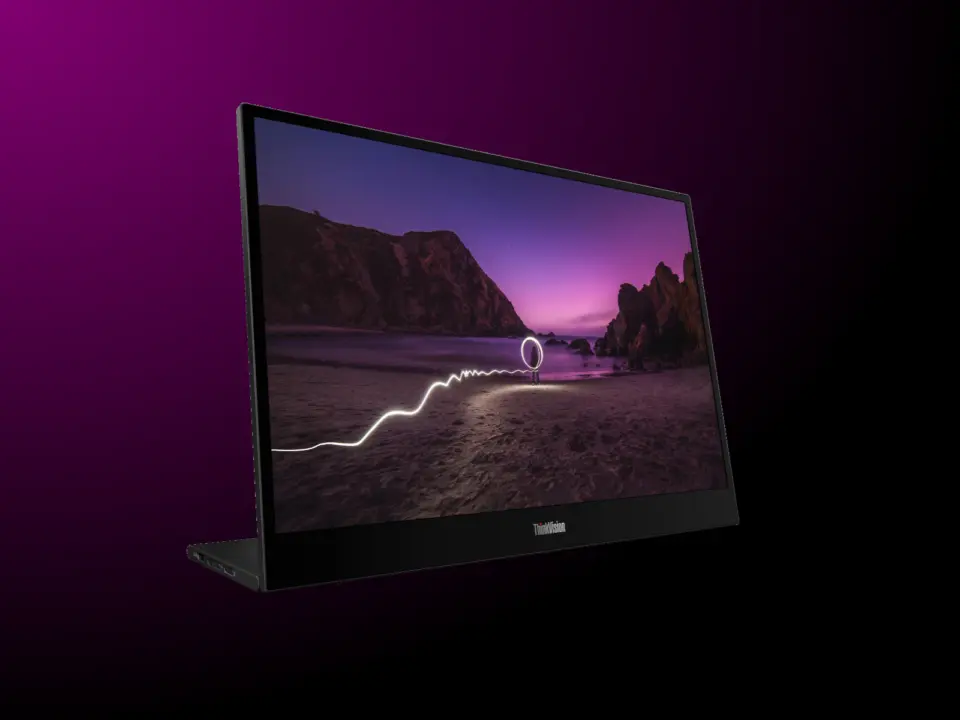
Global launch of Lenovo's ThinkVision M16 portable monitor. It's a slim portable monitor that gives users the option for more screen real estate for their mobile computing needs. The reason why this is important is because it's a light-weight monitor that comes with dual port – no separate power brick required for compatible laptops. It's meant for professionals and mobile users that want to be extra mobile but don't want to miss out on having a regular 16" screen space.
Slim 7mm design with dual USB-C connectivity and 65W charging support
In terms of specs, it has a 16-inch IPS panel with 16:10 aspect ratio resolution of 1,920 x 1,200 pixels. The 1,920 x 1,200 resolution gives it more vertical space than 16:9 screens. This makes it better for working productivity, especially if you're dealing with text-heavy content. Its color depth is 8-bit (6-bit+ Frame Rate Control), but it only supports 45% NTSC color space.
Specifications
- Panel Size: 16-inch
- Resolution: 1,920 x 1,200
- Thickness: 7~7.1 mm
- Charging Support: 65 W
- Connectivity: Dual USB Type-C
The ThinkVision M16 has two USB-C Type-C DisplayPort Alt Mode ports that can charge up to 65W. Connectivity is USB-C only – no HDMI or USB-A. So users will have to depend on USB-C for everything, video and power. The monitor is super thin at only 7 – 7.1mm thick for a 16-inch panel.
The ThinkVision M16 is available globally including US, UK, Eurozone, Australia, Canada. Price for US is $249. For UK it's on sale for £179 GBP (around $241).
Eurozone is €209 – €249. Australia is AUD 299 (around $209). Canada is CAD 349 (around $250).
The focus of this monitor is minimalism and direct connectivity with modern ultrabooks. It's for those that want a monitor. However, keep in mind that it only supports 45% NTSC color space.
So if you're looking for a high color accuracy monitor for professional photo editing, this isn't for you. This is more for general computing use and mobile office. Secondary monitor usage.
Source: NotebookCheck
45 percent NTSC is a hard limit. This is not for creative work. Buy it for spreadsheets.
Does the 65W passthrough power my main laptop while I use the second screen? I travel a lot and need to save outlets.
It depends on your laptop USB-C controller. Many ultrabooks limit power delivery to 15W for downstream ports. You might need a dedicated brick if the laptop is under 45W total draw.
no hdmi port is a dealbreaker for my old thinkpad 😅
The Australian price is decent if you factor in the GST. It beats importing and dealing with customs.
The color gamut is the real issue. 45 percent NTSC looks washed out next to modern panels. It is barely acceptable for general use.
ngl $249 is steep for a 60hz screen with that color coverage. I will wait for a sale.
How does the battery hold up when using the screen for four hours straight? I worry about draining my laptop too fast.