FSR Onimusha: Way of the Sword Steam Deck Performance Guide NINTENDO SWITCH 2 Digimon Story: Time Stranger DLC ‘A Hero’s Eternal Legacy’ Announced PLAYSTATION 5 Cygames Launches Where the Seeds Fall for PS5, Switch 2, and PC PLAYSTATION 5 Dragon Ball Xenoverse 3 Trailer Reveals New Android Avatar Race PLAYSTATION 5 Uncanyon Puzzle Adventure Announced for PS5, Xbox Series, Switch 2, and PC NINTENDO Final Fantasy Resonance Demo Now Live With Save Carryover HANDHELD GAMING FunnyPlaying Retro Pixel MiniGB Brings Game Boy Cartridges to a 2.6-Inch Handheld CONSOLES LEGO PlayStation Set Ships October 4 for $180 With Opening Disc Drive NINTENDO SWITCH How To Fish Console Availability: PS5, Xbox Series X|S, and Switch DLSS NVIDIA DLSS Multi Frame Generation Mod Brings Blackwell Tech to RTX 40 Series GAMES Killing Floor 3 Update 2.017 Fixes Stuttering and Buffs Damage PC HARDWARE Acer EP130K ePaper Monitor: 13.3-inch 3.2K Display Ships in 2027 AYANEO MSI Claw 8 EX AI+ Gets $1,499 Price Cut With Arc B370 GPU GAMES GTA 6 Miami Marketing Blocked by Sheriff Over Crime Stereotypes

Windows 11 Insider Build Brings Back Taskbar Customization Options

Owen Carter 1 min read

Microsoft brings back taskbar customization in Windows 11 Insider builds, allowing users to move the taskbar to any side, enable smaller taskbar, and use vertical layout with labels.

Windows 11 Insider Build Brings Back Taskbar Customization Options
SOFTWARE AND UPDATES

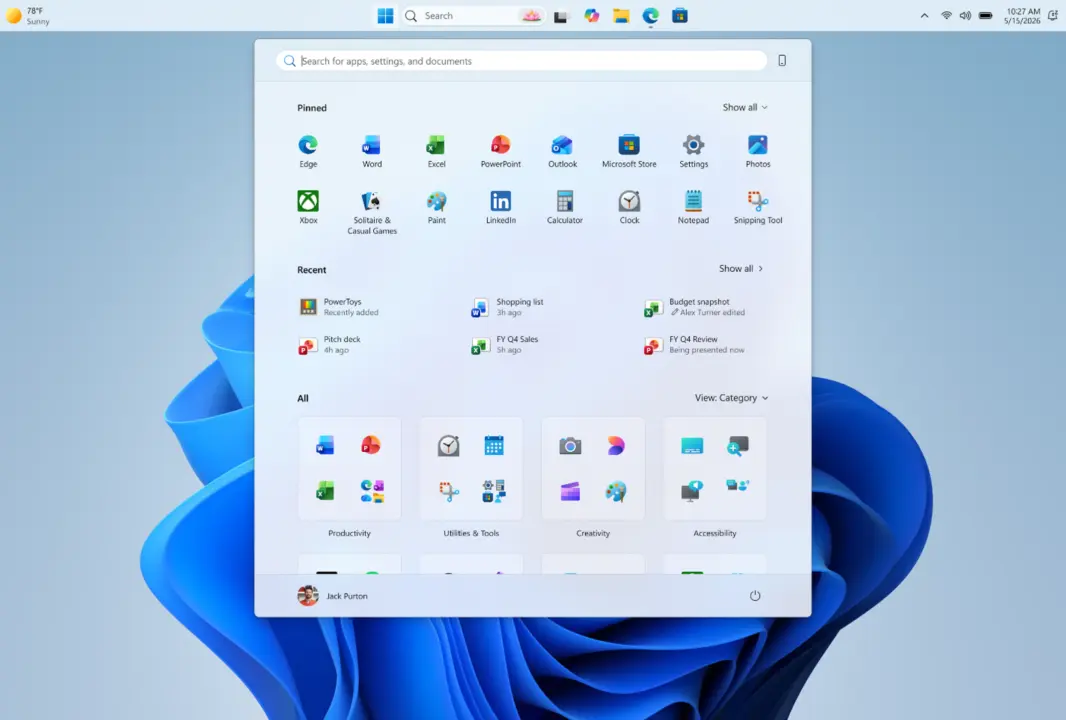
Microsoft is bringing back taskbar customization options in Windows 11 Insider builds. The update restores some of the flexibility that was removed when the OS first launched.

Taskbar now movable to any side

The taskbar can now be moved to any side of the screen: top, bottom, left, or right. Icon alignment adapts to the taskbar position, offering centered or left-aligned options on horizontal layouts and centered or top-aligned on vertical ones. A smaller taskbar option reduces height and icon size for compact displays. System flyouts like Start and Search adjust to match the taskbar placement. With a vertical taskbar and 'Never combine' mode enabled, each open window is shown separately with its own label.

The changes are currently limited to Insider builds. Microsoft has not announced a timeline for a broader release.

These updates address long-standing user requests for more taskbar flexibility in Windows 11. The improvements make the taskbar feel more consistent across different display setups.

Source: NotebookCheck