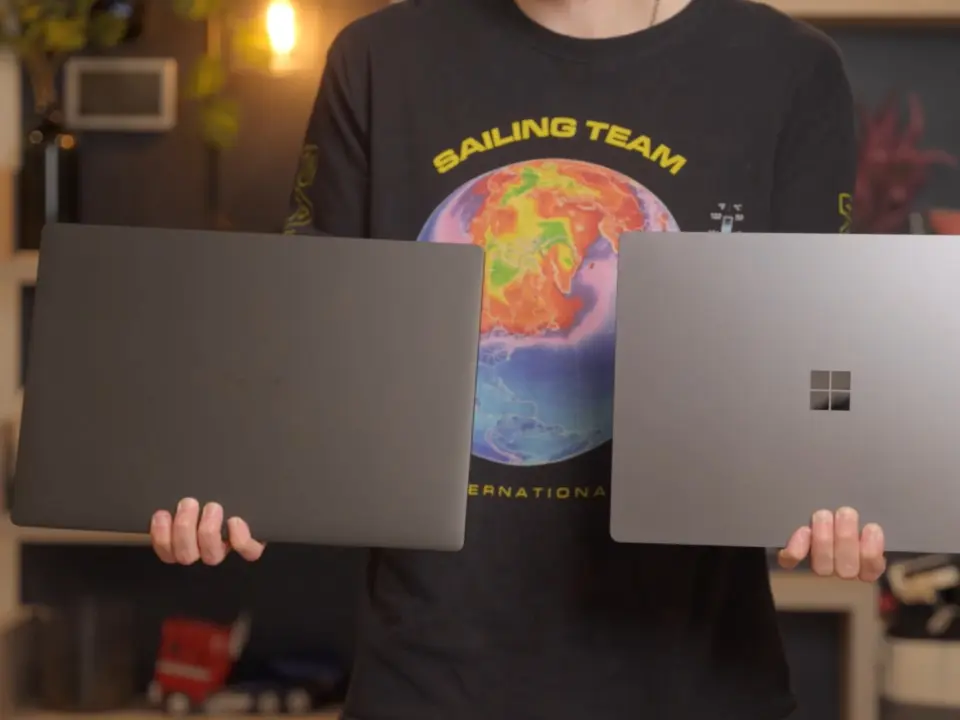
The new RTX Spark N1X SoC from Nvidia is a powerhouse, but it's bad for battery life when it comes to laptops. If you're after that all-day mobility, you better look elsewhere because this thing will burn through a battery like nobody's business when it's being worked. For power users who need a lot of grunt in a portable workstation for field work, that could be an issue.
Asus ProArt and Surface Laptop Ultra models struggle with power management during heavy workloads
The Nvidia RTX Spark N1X is built for Windows laptops that are intended for handling local AI workloads. Linus Tech Tips has been looking at it in particular cases on two devices: the Asus ProArt 2026 and Microsoft Surface Laptop Ultra. They're using this Nvidia SoC system on chip to handle heavy-duty creative work and AI tasks while mobile.
Spec comparison
| Spec | Asus ProArt 2026 | Microsoft Surface Laptop Ultra | Asus Zenbook A16 |
|---|---|---|---|
| Stress Test Battery Life | 1 hour 9 minutes | 53 minutes | more than 2 hours |
| 1080p Playback Battery Life | 12 hours | 9 hours | N/A |
| Battery Capacity | 99.9 Wh | N/A | N/A |
At the low end of the use case spectrum, you can get a really good battery life. The Asus ProArt 2026 runs at 1080p for video playback for 12 hours. On the Surface Laptop Ultra, that number is 9 hours. These both pack pretty big batteries, and the Asus ProArt 2026 has 99.9 Whr, backing up those numbers.
When it comes to testing for stress, it gets interesting when you see how far behind Nvidia is on efficiency, compared to the competition. The Asus ProArt 2026 only lasts 1 hour 9 minutes with a 1440p GravityMark stress test. The Surface Laptop Ultra lasted 53 minutes before it kicked the bucket.
Meanwhile, Asus Zenbook A16 running Snapdragon X2 Elite lasted more than 2 hours under stress. It's a smaller battery, too.
The Nvidia RTX Spark N1X is a very strong CPU, as well as a GPU that can compete with an RTX 5070. It's not very impressive for efficiency, though, when it comes to processors like Apple M5 Pro or Qualcomm Snapdragon X2 Elite. Linus Tech Tips says you'll probably want to be at a wall for more than an hour on heavy workloads.
Source: NotebookCheck

Discussion
0 comments