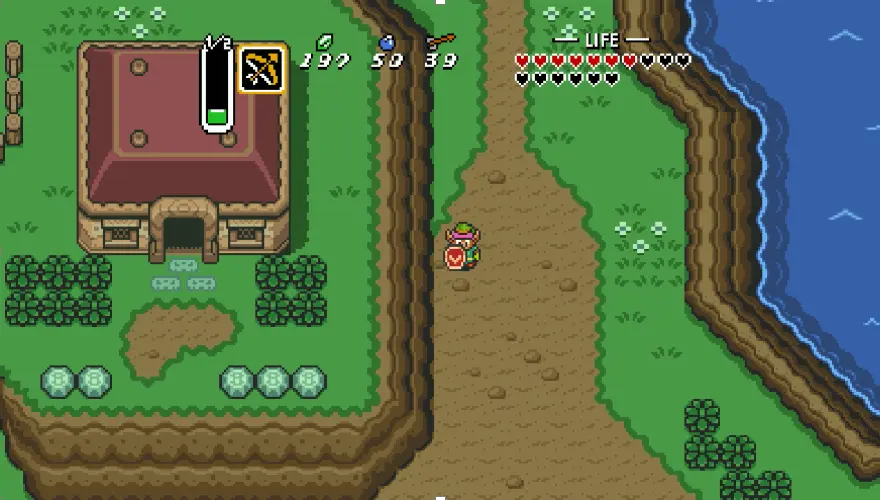
Samyost1 has released a custom Android port of The Legend of Zelda: A Link to the Past specifically for the AYN Thor handheld. This update matters to Thor owners because it transforms a classic 16-bit title into a dual-screen experience that leverages the device's unique hardware layout. Players can now access game information without breaking immersion or pausing the action.
Community port brings DS-style maps and touch inventory to Thor handheld
The project builds upon the zelda3 source code originally developed by snesrev and Waterdish. It runs on the PyDroid environment, which allows the Python-based emulator to function smoothly on the Android operating system. This foundation ensures that the core gameplay remains faithful to the original Super Nintendo release while adapting to modern touch controls.
- Platform: Android (specifically AYN Thor handheld)
- Base Project: zelda3 (snesrev/Waterdish)
- Runtime Environment: PyDroid
- Asset File: _zelda3_assets.dat_
- Bottom Screen Features: Live World Map, Dungeon Map with Visited Rooms, Touch Screen Inventory, Triforce
The most significant technical change involves the split-screen design that mimics Nintendo DS and 3DS consoles. The top screen continues to display the main game view as players explore the world of Hyrule. The bottom screen serves as a dedicated interface for navigation and inventory management, utilizing the handheld's touch capabilities.
The bottom display provides a live world map that updates as players move through the game world. It also shows a dungeon map that highlights visited rooms, helping players track their progress in complex areas. A touch-screen inventory allows users to tap items to equip them instantly, and a Triforce icon appears when no specific information is being displayed.
This release demonstrates how community developers are extending the utility of high-end Android handhelds beyond standard emulation. The AYN Thor now supports a refined retro gaming experience that adds strategic depth to a classic adventure. Thor users can download the port and the required _zelda3_assets.dat_ file to start playing immediately.
Source: RetroHandhelds