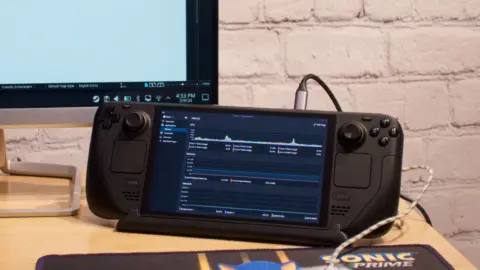
Valve has assigned a Steam Frame compatibility rating to Portal 2, marking the title as one of the earliest games to receive official hardware validation for the new handheld. This update matters to owners of the device because it provides a verified baseline for playing classic PC titles without needing to troubleshoot basic functionality. Buyers can now approach the game with the confidence that core systems are recognized by the platform, even if the experience requires minor adjustments.
Classic puzzle game runs on handheld without full optimization
The Steam Frame serves as a dedicated handheld computer designed to run PC games, and Portal 2 is the latest software to interact with this specific hardware. Valve evaluated the title to determine how well it performs on the device's architecture and display systems. The compatibility label indicates that the game launches and runs, but it does not yet offer a plug-and-play experience that matches the quality of native mobile titles.
- Steam Frame Compatibility Rating: Playable
- Native Display Resolution Support: No
- Controller Support: Default setup works, icons display correctly
- Graphics Settings: Default settings considered good enough
Portal 2 carries a "Playable" rating, which confirms that the software runs on the Steam Frame but lacks full optimization for the hardware out of the box. The game does not support the device's native display resolution, a technical limitation that may result in reduced visual clarity or performance issues during gameplay. Users should expect the game to function within the system's capabilities, though the visual output will not match the screen's maximum potential.
Despite the resolution mismatch, the default graphics settings are considered sufficient to maintain acceptable performance on the Steam Frame. The default controller setup works correctly, and the system properly displays Steam Frame controller icons for all core features. This means players can use the hardware's physical controls without needing to map buttons manually or deal with interface errors. The combination of functional controls and stable graphics settings allows for a playable experience despite the lack of deep optimization.
Source: NotebookCheck