NINTENDO SWITCH Unpetrified: Echoes of Nature Console Release Confirmed for Fall 2026 PHONES Huawei Leads China Smartphone Market as Apple Grows Amid 2% Decline GAMES Phasmophobia Gets Deildegast Ghost and 13 Willow Street Rework STEAM Fallout 76 Update 2.28 Released: Infestations Rebalanced and Boss Loot Fixed GAMES Former Forza Director Calls Xbox Game Pass ‘A Real Shame’ GAMES Bethesda Takes Fallout 76 Servers Offline for July 21 Title Update INTEL Kirin 9030 Pro Teardown Shows SMIC N+3 Beats Intel 18A Pitch PLAYSTATION 5 Wreckreation 2 Announced for PS5, Xbox Series, and PC NINTENDO SWITCH Dear Passengers Console Status: PS, Xbox, PC, and Switch Availability XBOX SERIES X Xbox Game Pass Adds 6 New Games in July 2026, Including Halo GAMES Xbox Game Pass Price Cuts to $22.99 as Seven New Titles Join Service GAMES Hunty Zombie July 2026 Reward Codes: Free Items for Roblox Players GAMES Dear Passengers Release News & Demo Details for 2026 Launch HANDHELD GAMING Anbernic RG SP Launches with GBA SP Design and Thinner Chassis

Windows 11 Insider Build Brings Back Taskbar Customization Options

Owen Carter 0 comments 1 min read

Microsoft brings back taskbar customization in Windows 11 Insider builds, allowing users to move the taskbar to any side, enable smaller taskbar, and use vertical layout with labels.

Windows 11 Insider Build Brings Back Taskbar Customization Options
SOFTWARE AND UPDATES

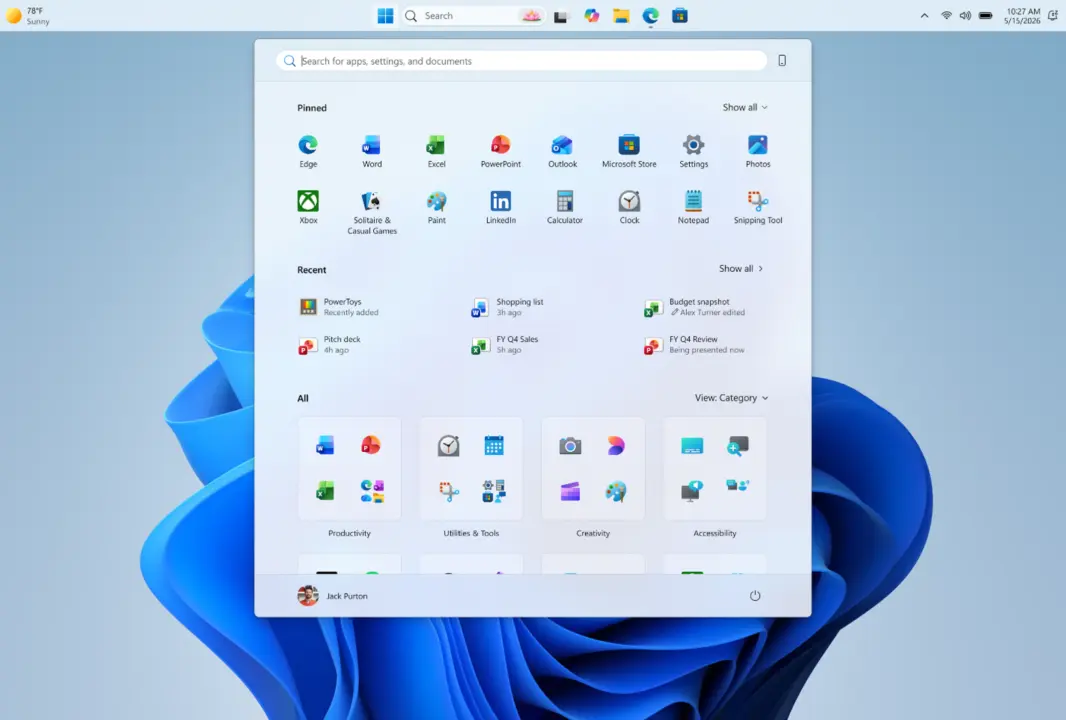
Microsoft is bringing back taskbar customization options in Windows 11 Insider builds. The update restores some of the flexibility that was removed when the OS first launched.

Taskbar now movable to any side

The taskbar can now be moved to any side of the screen: top, bottom, left, or right. Icon alignment adapts to the taskbar position, offering centered or left-aligned options on horizontal layouts and centered or top-aligned on vertical ones. A smaller taskbar option reduces height and icon size for compact displays. System flyouts like Start and Search adjust to match the taskbar placement. With a vertical taskbar and 'Never combine' mode enabled, each open window is shown separately with its own label.

The changes are currently limited to Insider builds. Microsoft has not announced a timeline for a broader release.

These updates address long-standing user requests for more taskbar flexibility in Windows 11. The improvements make the taskbar feel more consistent across different display setups.

Source: NotebookCheck
Discussion

0 comments

Leave a comment