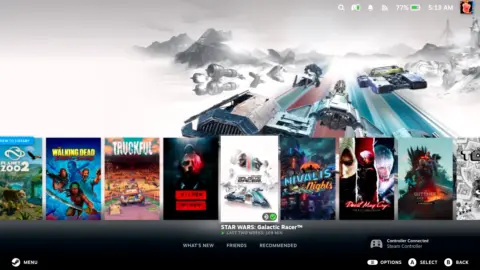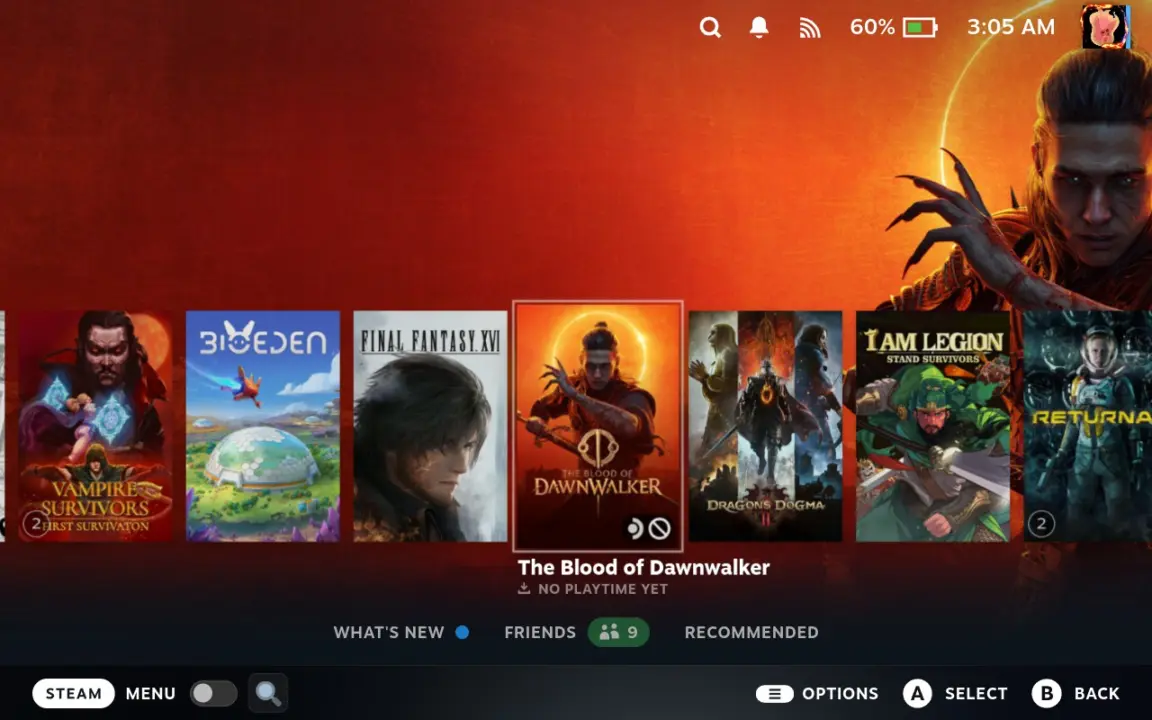
Valve released a new Steam Deck Beta Client update on September 9, 2026, bringing significant changes to how users interact with their handheld library. This update shifts the default home screen experience toward a more immersive, console-like aesthetic that appeals to players who prefer visual browsing over list-based navigation. The changes matter because they offer a fresh way to organize and discover games without requiring new hardware.
Valve enhances handheld UI with larger artwork and system controls
The core of this release is the introduction of 'Big Art Mode,' a new home screen option that enlarges game artwork to fill the display. Users can enable this feature by navigating to Settings and then selecting the Home menu. This change allows the Steam Deck to function more like a traditional console interface, prioritizing visual appeal for casual browsing sessions.
- Big Art Mode: New home screen option to enlarge game artwork, resembling a console interface
- Screensaver Feature: Configurable screensaver with game art slideshow, retro bouncing logo, and custom support
- Default to Desktop Mode: New toggle in System settings to boot directly into Desktop Mode
- Personal Calendar: Added to the Recommended tab on the home screen
- Steam Input Performance: Improved CPU performance at runtime and in configuration loading
Beyond the visual overhaul, the update adds a comprehensive screensaver feature accessible through Settings > Customization. The default option creates a slideshow of artwork from recently played games and in-game screenshots, while a second option features a retro-inspired bouncing logo. Users can also support custom screensavers by placing files in the ~/.steam/root/config/uioverrides/screensavers/ directory.
Valve also improved system performance and convenience with several backend changes. The update fixes CPU performance issues during Steam Input configuration loading and reduces the performance impact of game recording for some D3D12 titles on Windows. Additionally, Remote Play no longer requires a PIN to download apps to remote devices, streamlining the setup process for multi-device users.
We looked at the last Steam Deck update earlier while tracking Valve's beta releases, and several of the same balance and stability themes came up in this patch. The current update continues that trend by refining user interface elements and fixing minor bugs in the SteamRT3 Experimental Beta branch. These incremental improvements help maintain system responsiveness without introducing major structural changes to the operating system.
The update also introduces a 'Default to Desktop Mode' toggle in System settings, allowing users to boot directly into the desktop environment. A Personal Calendar feature now appears in the Recommended tab on the home screen, and the system adds confirmation steps for exiting VR or switching modes. These changes provide more control over the device's behavior and improve clarity when managing multiple user sessions.
Source: SteamDeckHQ