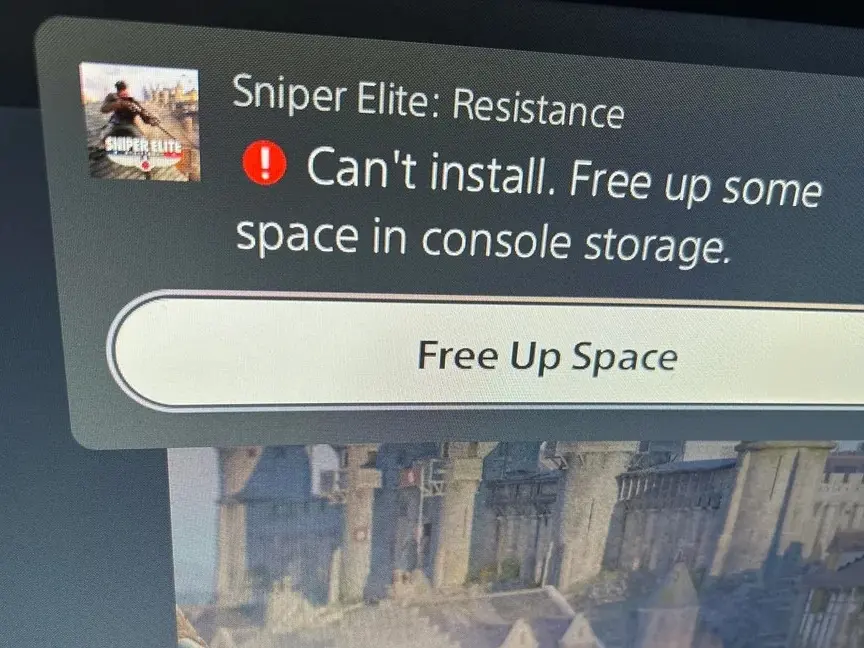
PlayStation 5 owners are encountering a frustrating glitch that blocks game updates and downloads despite having ample free space on the console. This issue affects daily gameplay because users cannot install critical patches or new titles when the system falsely reports insufficient storage. We have seen similar storage reporting errors in the past, such as the recent firmware update focused on screen usability, but this specific bug requires manual intervention to resolve.
Manual repair restores game downloads despite false error messages
The problem centers on the PS5's internal storage management system, which misinterprets available space due to improper shutdowns rather than actual capacity limits. Multiple users have reported the console displaying 'not enough storage' errors even when they have significant free space, such as 350GB available. This discrepancy prevents the download queue from proceeding, leaving games in a pending state until the underlying storage state is corrected.
To fix the issue, users must boot the console into Safe Mode by holding the power button until a second beep sounds. From the Safe Mode menu, selecting the 'repair console storage' option allows the system to re-index and verify the actual storage capacity. This manual workaround corrects the false error messages and restores the ability to download and update games without requiring an automatic system update from Sony.
We looked at Sony Releases PS5 Firmware 26.05-13.60.00 to in our earlier Sony coverage, but this storage bug remains a separate issue requiring user action. The fix relies on user intervention rather than an automatic patch, meaning the problem persists until the user manually triggers the repair process. This method provides a reliable solution for those experiencing the glitch, restoring normal download functionality to the console.
Source: NotebookCheck