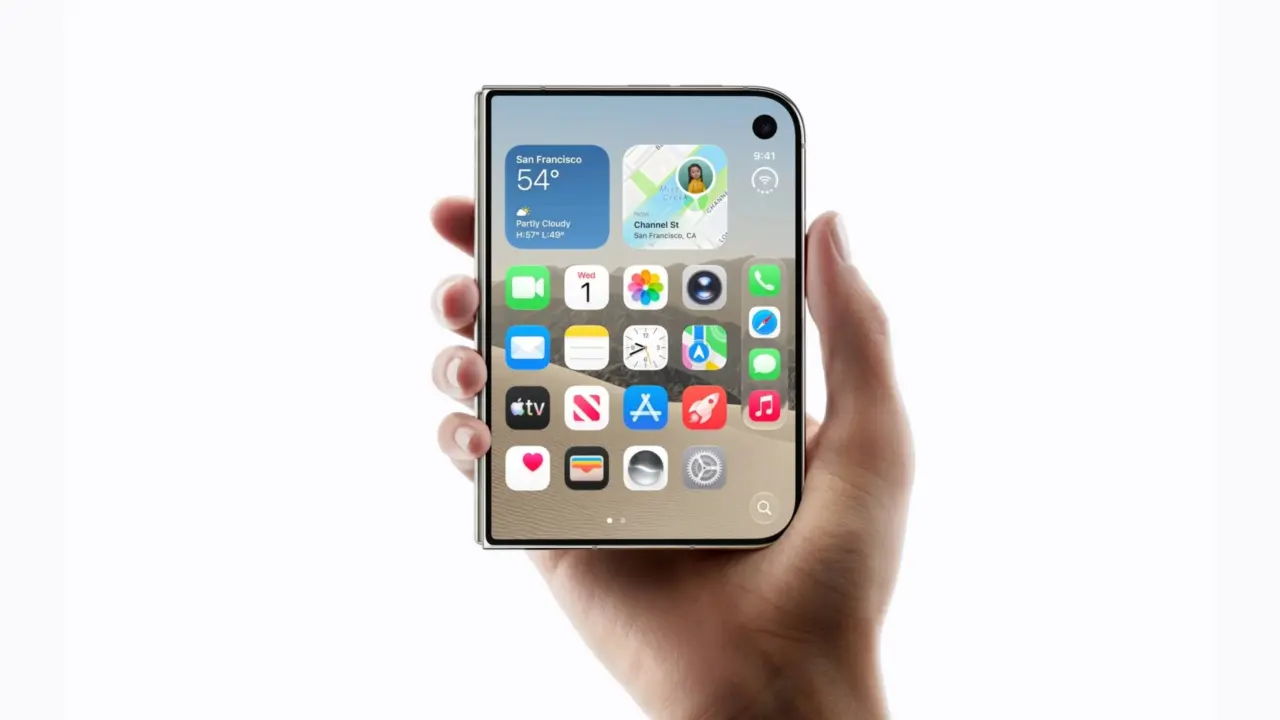
Apple's iPhone Duo has been released with a very disappointing software feature forcing you to remove your data to just change text and icon sizes. This affects users who want to change their Display Zoom preference other than what they select on the initial setup screen. So it's up to the consumer to either live with the size or bite the bullet and start over.
Apple confirms iOS 27.2 scaling lock forces data wipe for changes
So the issue here is the Display Zoom for iOS 27.2. The iPhone lets you select your text and icon scale for the first time you set up the device. You can choose between Default, Medium, and Large.
After you choose that scale, it becomes set in stone. It's not even in the regular Settings menu.
Apple Support has confirmed that this is an issue with the current software build. A senior advisor was asked by one of the users and stated that there's no menu or toggle to switch the scaling once you make your choice. The only way around it is to remove all content and settings, then go through the setup again.
We don't know if Apple did this purposely because it's a foldable device. It's possible, or it could also be a software bug. There's been no software update from Apple to return the setting. For now, you either have to stick with what you chose or do a factory reset.
Earlier we wrote about macOS 27.2 beta code reveals Apple is working on touchscreen support for future MacBooks. Well, this is the current state of iOS 27.2 on Apple's new iPhone Duo. It's still locked down on the public software release.
Source: GIZMOCHINA

This is a massive oversight for a premium device.
The kernel likely locks the display buffer mapping at init time to prevent tearing on the fold hinge. Unlocking it dynamically would require a full session restart anyway.
Does this mean I have to wipe my entire photo library just to read smaller text?
Yes. Apple Support confirmed there is no toggle in Settings so you must erase all content and start over.