DLSS 5 Neural Rendering is no longer confined to a single title. Users can now apply this technology to their entire Windows 11 desktop environment. This shift matters because it transforms a game-specific feature into a universal display enhancement. Players and desktop users can benefit from improved visuals across videos, images, and windowed applications.
New tool applies neural rendering to videos and windowed apps
The tool enabling this change is NeuralScreen, released by developer perseval_BLR. Version 1.2.1 is now available on GitHub for global download. The software acts as a bridge, allowing older graphics hardware to utilize the latest rendering techniques. It supports NVIDIA GeForce RTX 20, 30, and 40 Series GPUs, as well as AMD's RDNA 4 lineup.
- Compatibility: Windows 11 desktop
- Supported Hardware: GeForce RTX 20, 30, and 40 Series GPUs; AMD RDNA 4
- Underlying Technology: DLSS 5 Neural Rendering
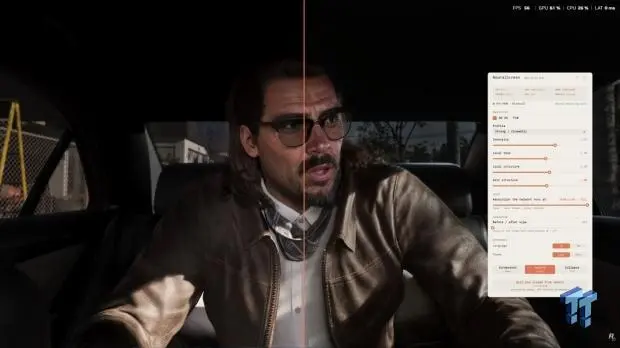
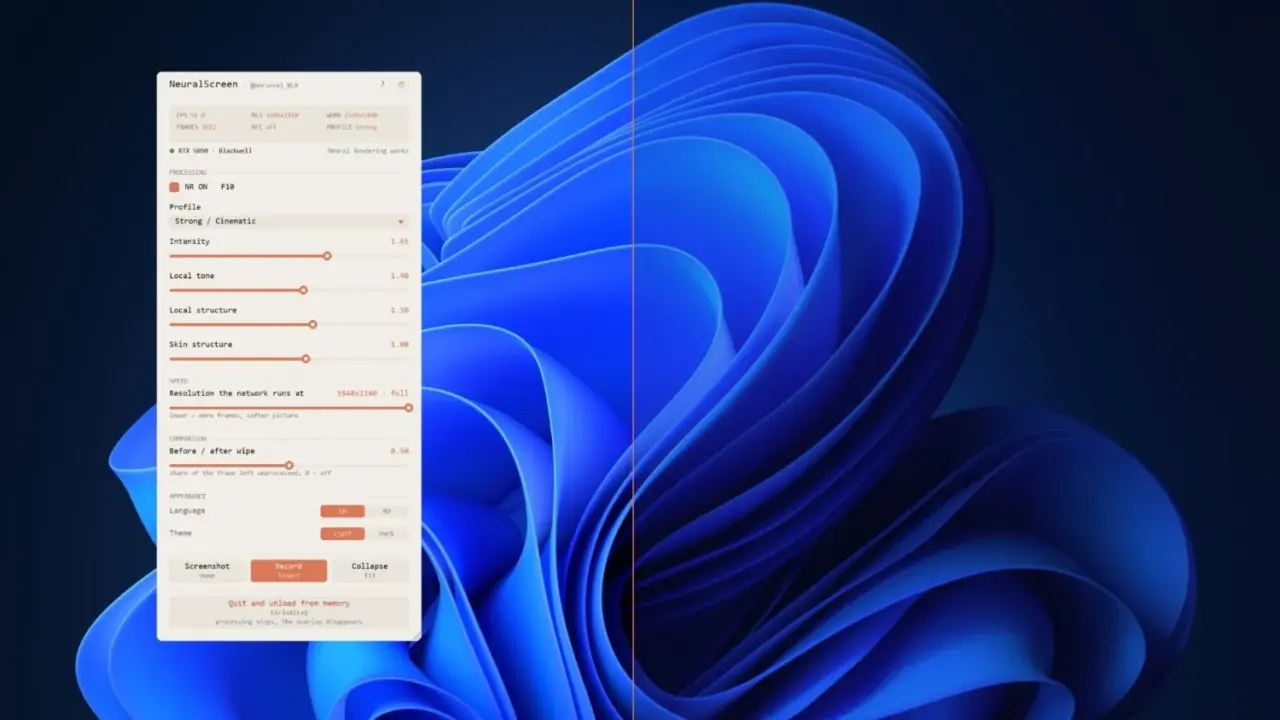
NeuralScreen integrates DLSS 5 Neural Rendering directly into the desktop experience. The application includes a straightforward user interface for managing these effects. Users can switch between different DLSS 5 models and adjust intensity sliders to their preference. A handy slider also allows for immediate before-and-after visual comparisons.
The tool does not alter standard Windows 11 desktop wallpaper or text in a meaningful way. It focuses its processing power on dynamic content like videos and windowed games. Adding support to specific titles like Red Dead Redemption 2 or Cyberpunk 2077 requires a separate tool called DLSS Swapper. NeuralScreen itself does not provide installation steps or list the specific models available for switching.
This release expands the practical utility of DLSS 5 beyond its official limitation to NBA 2K27. Modders have already begun applying these techniques to other games and emulators. NeuralScreen provides a centralized way to manage these desktop-wide enhancements. Users can now experiment with neural rendering across their entire system.
Source: TweakTown