Windows 11 users who rely on desktop applications for communication now have a clearer path to protecting their personal data. Microsoft has introduced granular privacy controls in an experimental build that allow users to manage microphone, camera, and location access for each program individually. This change addresses a long-standing gap in Windows security where desktop apps operated under a single, broad permission setting. Buyers and power users who value precise control over their system's privacy features will find this update directly relevant to their daily workflow.
Granular privacy settings now manage desktop app access to sensors
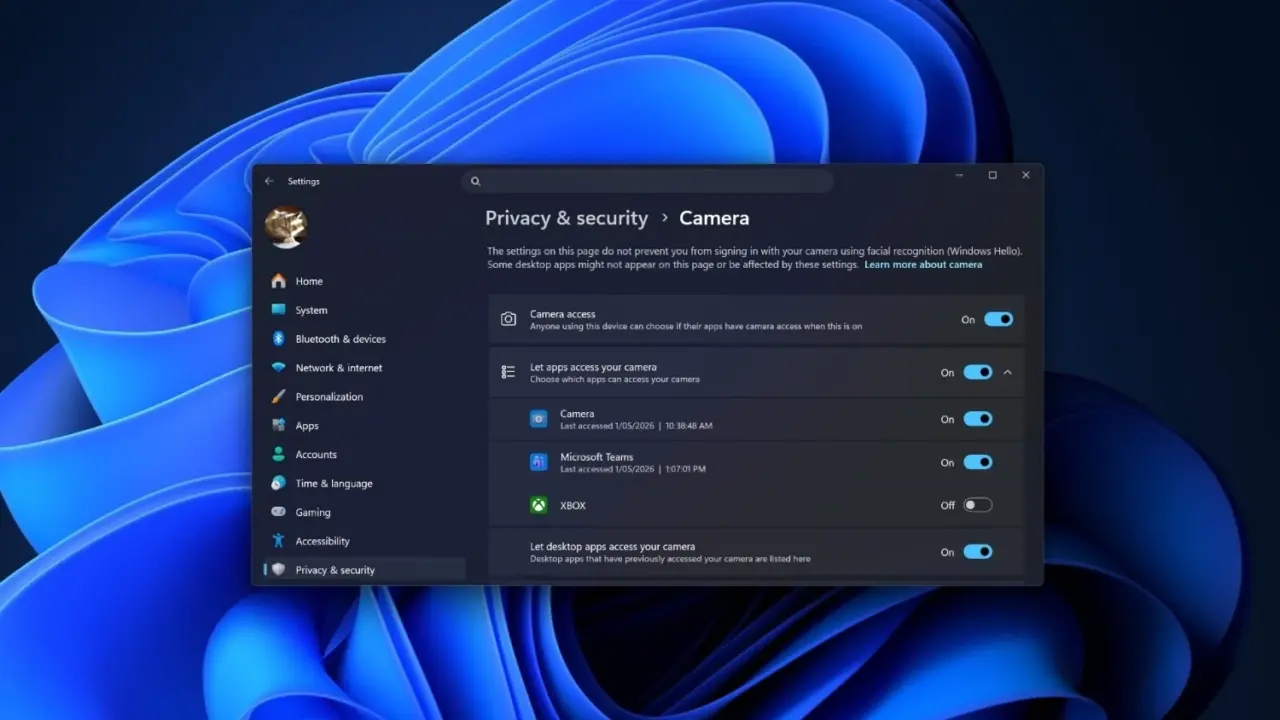
The new functionality appears in Windows 11 Experimental Insider PC Build 26340.9212. In this build, Microsoft has removed the legacy catch-all toggle that previously governed all desktop applications at once. Instead, the 'Privacy & security' section of Settings now lists every installed desktop program in a dedicated dropdown menu. This structure mirrors the permission management interface already used for Microsoft Store apps, creating a unified experience for both app types.
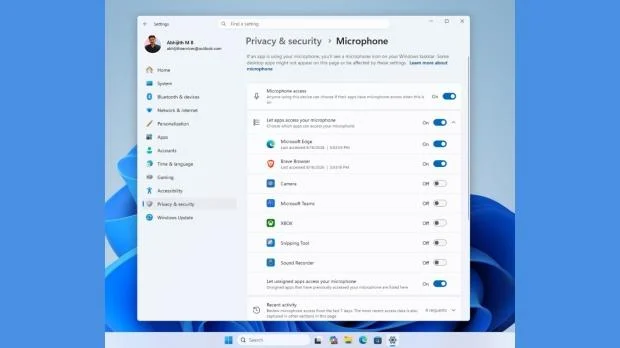
Users can now individually grant or deny access to specific hardware features for each desktop application. Programs like Discord or Chrome will require separate approval for microphone, camera, and location permissions. This granular approach prevents a single compromised or malicious desktop app from automatically accessing sensitive sensors without explicit user consent. The shift from a global switch to individual app controls represents a significant step toward more secure desktop computing.
Despite the visible changes in the experimental build, Microsoft has not officially confirmed that these controls will ship in a stable release. The feature remains in testing, and its inclusion in future public updates is still subject to change. We looked at the last Windows 11 update earlier while tracking stability themes, and similar caution applies here as the feature continues to develop.
The current state of the feature is limited to the experimental build 26340.9212. Users interested in testing these privacy controls must enroll in the Windows Insider Program. Official availability and final confirmation of the feature remain pending Microsoft's release schedule.
Source: TweakTown