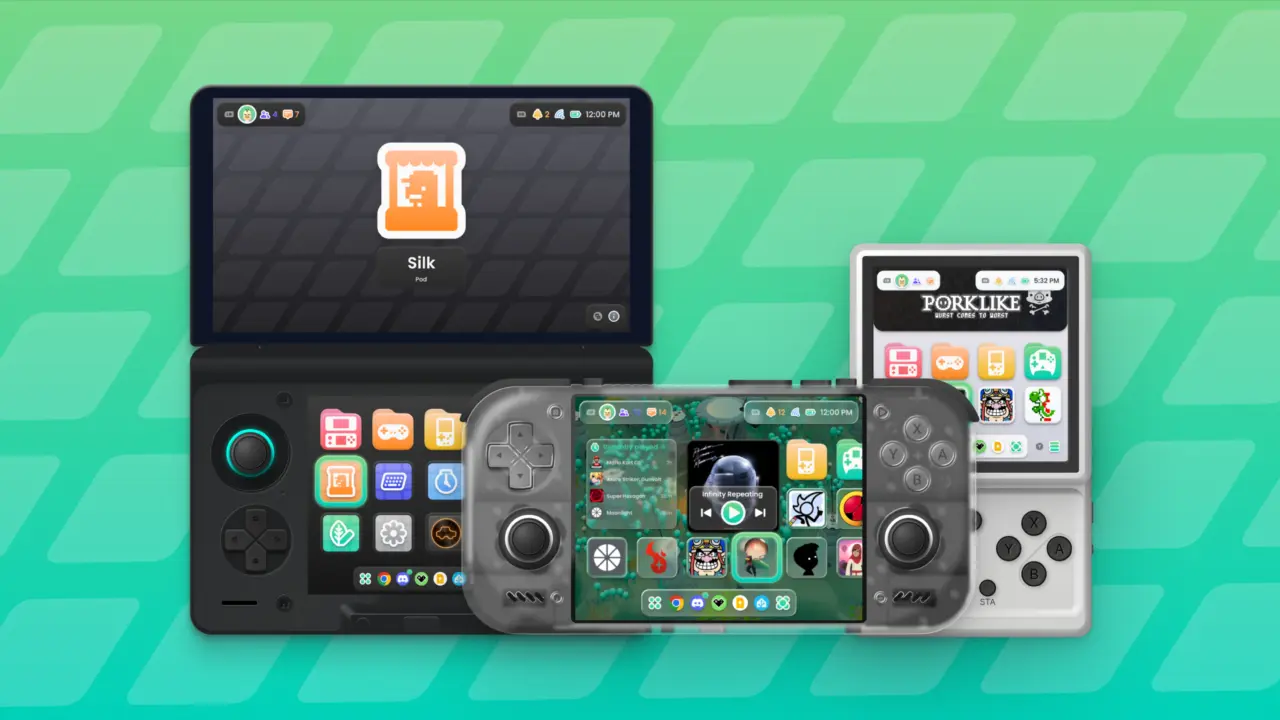
Cocoon Shell version 3.0 arrives as a complete rebuild of the Android handheld frontend, shifting how users organize and launch their retro game libraries. This ground-up update matters because it replaces the previous interface with a more flexible system that integrates modern social features and faster data loading. Users who rely on this software for their handheld devices will see immediate changes in navigation speed and visual customization options.
Ground-up rebuild adds social integration and faster metadata loading
The update introduces 'Project Metamorphosis,' which the Cocoon Team describes as an overhaul of the UI, functionality, and design. The new home screen features larger game icons and 'Pods' that act as smaller, dedicated apps within the main shell. These Pods include Log for tracking playtime and stats, Picnic for managing screenshots, Silk for applying themes, and Settings for configuration. This structure allows users to access utility tools without leaving the main game grid.
- Version: 3.0
- Platform: Android
- Scraping Sources: Launchbox, IGDB, HowLongToBeat
- Achievement Integration: RetroAchievements, Steam Achievements
- New Pods: Log, Picnic, Silk, Settings
Technical improvements focus on scraping speed and general performance optimizations to support a wider range of Android devices. The software now pulls metadata from Launchbox, IGDB, and HowLongToBeat, expanding the sources available for game information. Achievements from both RetroAchievements and Steam are now viewable directly within the Cocoon interface. The status panel also supports general Android system toggles for Wi-Fi and Bluetooth, alongside notifications.
Visual customization expands with over 120 new icons available in Colorful, Accented, and Flat formats, along with a new Glass Background option. The interface supports external display docking and offers single-screen layouts including Standard Single Row, Carousel, and Cover Flow. Widgets can now be placed directly into the games grid, and the social panel integrates Discord and Steam activity. Game sessions automatically end after 30 seconds of inactivity to conserve resources.
We looked at Cocoon updates earlier while tracking Android handheld frontend developments. The release of version 3.0 confirms the software's direction toward deeper system integration and faster performance. Users can now expect a more responsive experience with better metadata accuracy and social connectivity on their devices.
Source: RetroHandhelds