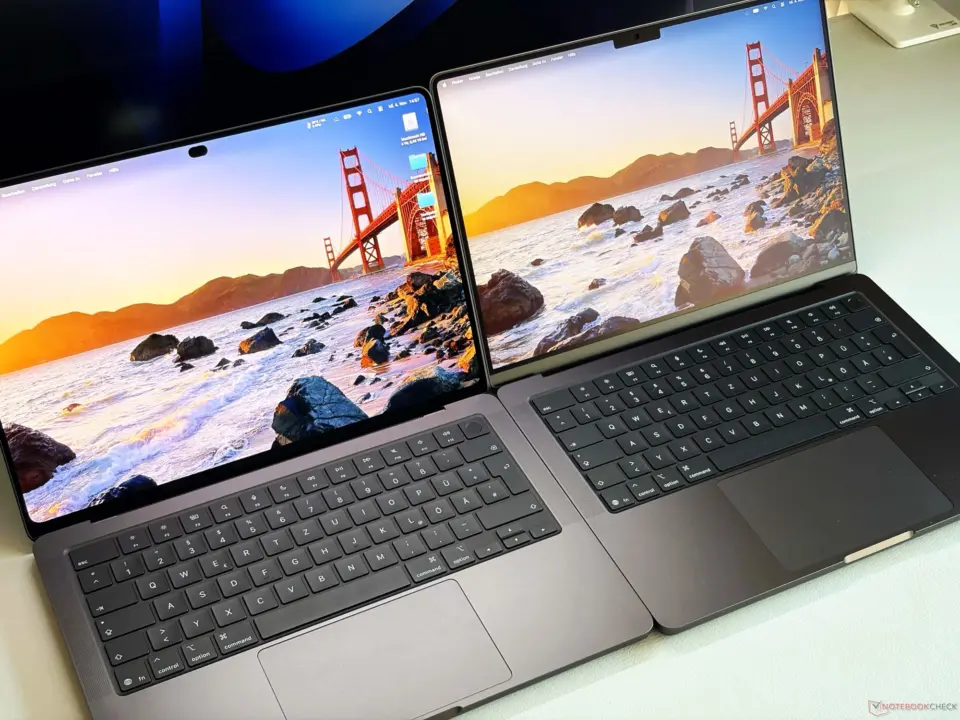
New apple MacBook Pro with OLED screen has serious issue of display flickering impacting huge chunk of users. Why is it important? Because flickering can lead to headaches and eyestrain for those sensitive to screen modulation. It's essential for users to consider the health aspect before buying the new model.
OLED display flickers at 240 Hz causing headaches for many users
This new apple MacBook Pro comes with tandem oled touchscreen with more than 2000nits peak HDR brightness. New tandem OLED touchscreen (it's marketed as high-end for professional and creative work). This is the difference from previous models of MacBook Pro that had Mini-LED panels.
- Display Technology: OLED
- Peak HDR Brightness: over 2,000 nits
- PWM Flickering Frequency: 240 Hz
- Brightness Threshold for Flickering: 99 percent or below
- Minimum Brightness Level: 56 percent
Technically when we analyze the display, we find the OLED display is flickering with the pulse width modulation or PWM at the frequency 240Hz. It's flickering when the brightness is 99% or lower. And the minimum brightness is 56%. So most of the range it has this flickering issue.
On the other hand if you look at previous MacBook Pro models that had Mini-LED display they are flickering at higher frequency, which is 14,880Hz. It's generally considered that flickering at higher frequency is unlikely to cause visual stress or eyestrain. So you see, there's a tradeoff in the new oled panel design.
When you look at user feedback and MacRumors forum poll it seems that 1/3 of users are impacted by this flickering. At least one X user has shared serious headaches after using it for 30 minutes. We've been tracking the MacBook Pro in earlier as well. Like apple MacBook Pro to ditch notch for Dynamic Island OLED touchscreen.
We have the confirmed specifications of the display technology and brightness that comes with OLED MacBook Pro. And this flickering issue with PWM is a confirmed hardware spec with user reports and technical analysis. So be aware of the flickering impact if you're sensitive to it.
Source: NotebookCheck

Discussion
0 comments