GAMES Escape from Tarkov Halloween event teased as ‘pretty big’ with zombie mode and surprise NINTENDO SWITCH SEGA Sonic X Shadow Generations Sales Top Three Million Units PC HARDWARE Mac Pro ATX Conversion Kit lets you turn 2019 Apple desktop into standard PC PC HARDWARE Lenovo Chromebook m 15 Gen 10 returns with 16-hour battery life for around $520 GAMES Blizzard Teases Player Housing for World of Warcraft Forever Ahead of November 2026 Launch GAMES Arrowhead CCO says Helldivers 3’s biggest competitor would be Helldivers 2 NINTENDO 68% of UK parents lack confidence in their child’s gaming, prompting Nintendo’s free guide INTEL GMKtec NucBox M3S brings Intel Core 3 and 15 TOPS NPU to the $390 mini PC market GEFORCE RTX Asus ROG NUC 16 Phantom Blade Zero Edition packs RTX 5080 in 3-liter chassis PHONES Realme 17 Pro+ reportedly packs 10,000 mAh battery and 200 MP camera ACCESSORIES Lenovo Aurora GK1077 Lite keyboard launches with screen and dial for around $19 NINTENDO Zelda 40th Anniversary Switch 2 Console Hits $519.99 as Early Unboxings Reveal Black, Gold, and Green Design GAMES S.T.A.L.K.E.R. 2 Update 2.1 extends NPC streaming distance to make the Zone feel alive PC HARDWARE Dell UltraSharp U3226QER launches with 120Hz refresh rate and 140W charging for around $777

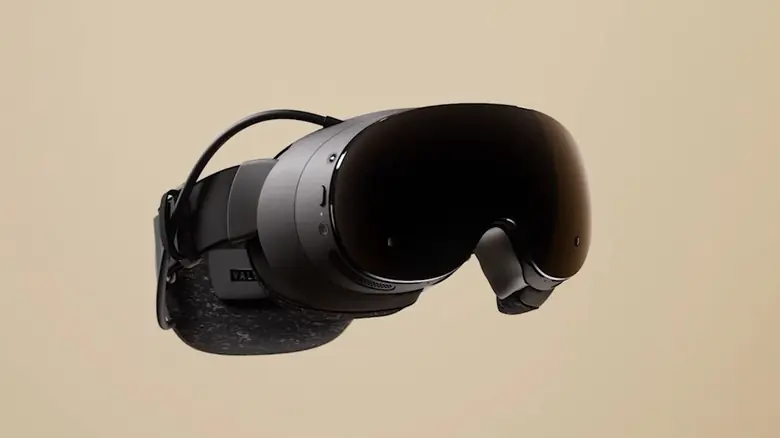
Valve Steam Frame to feature dedicated performance settings menu

Simon Ellis 1 min read

Valve's upcoming Steam Frame handheld will include a dedicated performance menu in the Quick Access UI, offering foveated rendering and resolution controls.

Valve Steam Frame to feature dedicated performance settings menu
GAME PERFORMANCE

is preparing to release the Frame handheld with a dedicated performance tuning interface. This update matters to users who want direct control over graphical settings without relying on default configurations. The new menu allows players to optimize their experience before launching titles.

New interface allows direct control over graphical settings and rendering techniques

The performance settings reside in the Quick Access Menu UI. This layout mirrors the interface found on the existing hardware. Users will find the controls in a familiar location within the system software.

The menu offers several technical adjustments for supported games. Players can enable or disable eye-tracked foveated rendering if their hardware supports it. The system also includes tweaks for ARM Memory compatibility to improve stability.

Users can change the game resolution directly from this menu. This feature works similarly to adjusting settings through Steam Deck game properties. The interface also allows users to enable or disable desktop rendering techniques for better performance.

Source: SteamDeckHQ