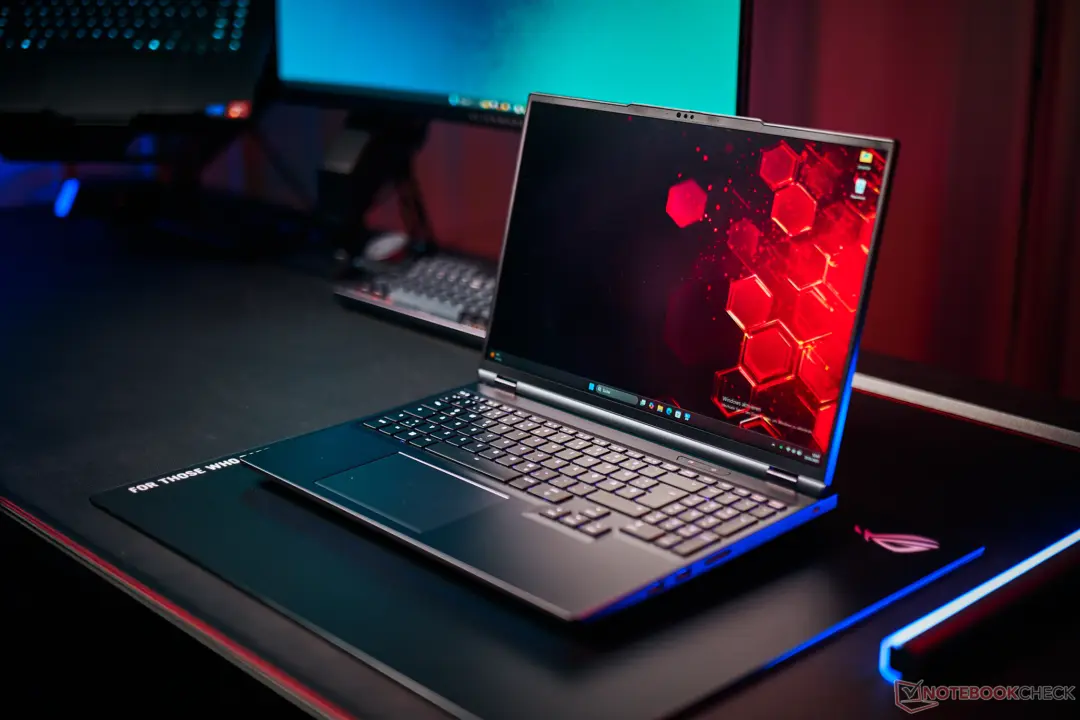
XMG has implemented support for Nvidia's G-Sync technology on internal Mini-LED display in Neo 16 M26 laptop for gaming. What makes this significant is the fact that previous iterations of this model barred G-Sync on the internal display, so you had to use external monitor for the variable refresh rate functionality. So if you want seamless frame pacing on your primary display, you can go for a high-end model like this one without external additions.
G-Sync support added to XMG Neo 16 M26 Mini-LED panel, removing need for external monitor
The Neo 16 M26 is a 16-inch gaming laptop primarily intended for those who want top-end portable systems. XMG provides two options on the same chassis with different display technologies for the consumer to choose from. There are Mini-LED and OLED screen options to pick from.
Specifications
- Display Technology: Mini-LED (matte) and OLED (glossy)
- Mini-LED Brightness: Over 750 nits (SDR), just under 1,500 nits (HDR)
- Mini-LED Refresh Rate: 300 Hz
- OLED Refresh Rate: 240 Hz
- G-Sync Support: Supported on Mini-LED panel; not supported on OLED panel
Matte displays are featured on the Mini-LED variant. In comparison, the OLED display is glossy and provides deeper contrast.
For the Mini-LED display, the refresh rate is 300 Hz and the matrix is IPS. The standard dynamic range brightness level is over 750 nits, whereas the HDR brightness comes in at just under 1500 nits. The optional OLED display has a refresh rate of 240 Hz, which is a fast one and is ideal for competitive games.
The Mini-LED display has the support for G-Sync turned on. This is a significant update, considering it was a missing feature on the previous generation. Meanwhile, the OLED display does not support G-Sync technology.
So you don't get variable refresh rate syncing support on that one. You will have to stick with plain adaptive sync for the display with OLED screen option.
XMG markets the Neo 16 M26 as a high-end gaming laptop with great display options. The Mini-LED variant now has the same variable refresh rate capability as the external display. You can opt for a glossy display with OLED. However, you miss out on the proprietary Nvidia syncing tech.
Source: NotebookCheck
Finally. G-Sync on the internal Mini-LED panel removes the need for an external monitor. The OLED version still lacks this feature though.
Does the 300Hz refresh rate on the Mini-LED screen drain the battery significantly faster than the 240Hz OLED option during portable play sessions?
The driver overhead for G-Sync is minimal but the 300Hz polling rate adds load. Expect reduced battery life compared to the OLED variant.