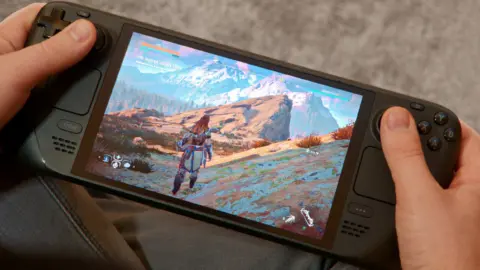
Valve released a new Beta Client update for the Steam Deck on August 11, 2026, bringing immediate quality-of-life improvements to web browsing and system stability. This patch addresses specific input mapping issues that have frustrated users trying to navigate non-Steam websites on the handheld. It also resolves visual glitches and streaming errors that disrupted the desktop and remote play experiences. Buyers relying on the device for casual web use or local streaming will see these fixes land in their daily workflow.
Valve patches web input, desktop typing, and streaming glitches in latest beta release
The update targets the core Steam Deck experience across multiple interface layers, including the home screen, desktop mode, and web browser. Valve also included adjustments for the Steam Controller in the web browser section, indicating cross-device compatibility work. The changes focus on refining the user interface and ensuring that hardware inputs behave as expected in software environments. This approach keeps the handheld responsive while users switch between gaming and desktop tasks.
- Web Browser Input: Left trackpad bound to scroll wheel for navigating non-Steam websites
- Home Screen UI: Fixed single-pixel line appearing above the header
- Desktop Mode Input: Fixed keys not typing properly in Steam Overlay
- Remote Play: Fixed black window issue during streaming
Key technical changes include mapping the left trackpad to the scroll wheel function specifically for navigating non-Steam websites in the web browser. This input reassignment aims to make scrolling through web pages more intuitive for handheld users. The update also fixes a bug that caused a single-pixel line to appear above the header on the home screen, restoring a cleaner visual layout. Additionally, Valve resolved an issue where certain keys failed to type correctly within the Steam Overlay in desktop mode.
Remote Play users benefit from a fix that prevents a black window from appearing during streaming sessions. This correction ensures that video output remains visible when streaming games to or from the device. The changes collectively improve the stability of the Beta Client without altering the core hardware specifications. We looked at the last Steam Deck update earlier while tracking Valve's release cadence, and several of the same balance and stability themes came up.
Valve confirmed these fixes through the official Steam Deck Beta Client changelog dated August 11, 2026. The update is available now for users enrolled in the beta program. These patches resolve specific input and visual bugs without introducing new features or pricing changes. The release marks another step in Valve's ongoing refinement of the Steam Deck software ecosystem.
Source: SteamDeckHQ