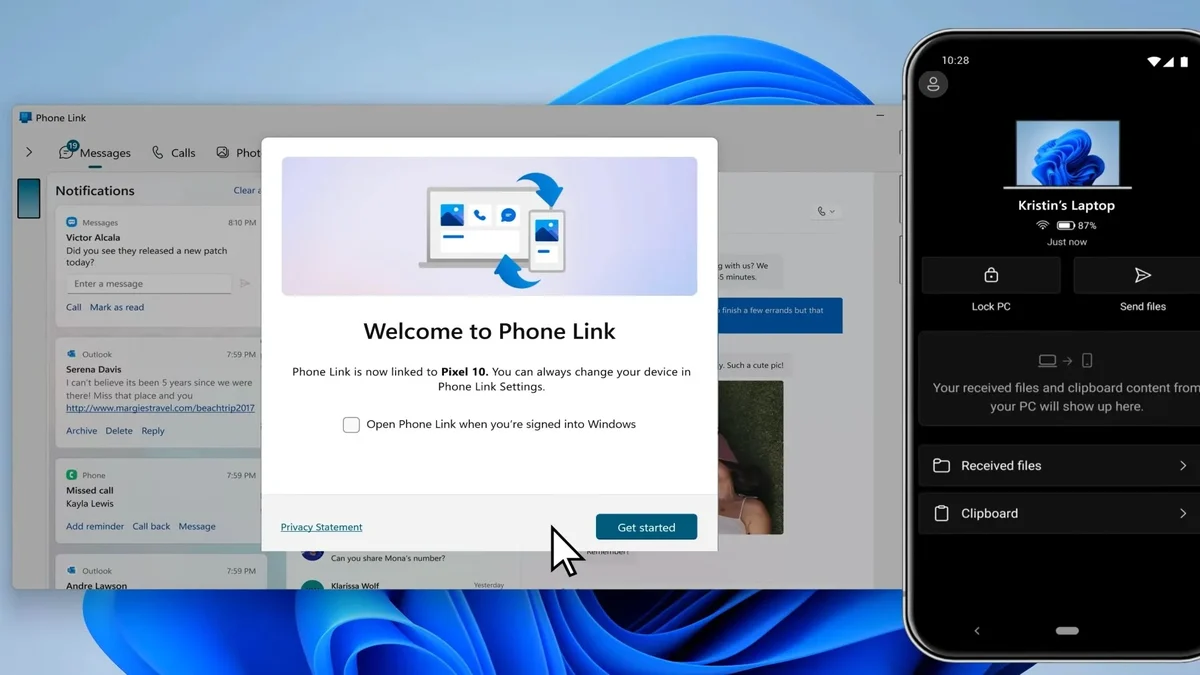
Microsoft is quietly testing a feature that lets Windows 11 users control their PC power states directly from the Phone Link app on their smartphone. The feature brings remote management functions, typically found in specialized remote desktop software, to a standard companion application. This integration may benefit users who need to manage PC power states or updates while away from their primary workstation.

New build reveals remote restart and shutdown options for Windows 11 users
The new functionality relies on a component labeled RemoteControlManager, which code inspectors found in an August 25 build of the Phone Link application. The internal module is designed to facilitate communication between the mobile device and the Windows PC for power commands. The feature is gated behind a flag named isRemotePcControlsV2Enabled, which remains disabled in current builds.
The available power commands include Restart, Shut down, Update and restart, Update and shut down, and Sleep. The app includes confirmation dialogs to prevent accidental loss of unsaved work when triggering these actions. These options provide granular control over the PC's state without requiring physical access to the machine.
A significant limitation exists with the Sleep command. When a PC enters sleep mode via Phone Link, it disconnects from the phone. Users must then use physical access to wake the computer, as the remote link breaks during the low-power state. Because the PC disconnects from the phone when it enters sleep mode, the app cannot function as a wake-on-LAN replacement for sleeping devices.
The feature is not yet available to testers. The enabling flag is currently disabled, and Microsoft has not set a release date for this functionality. The code exists in the build, but the feature remains inactive for end users.
Source: TweakTown

Discussion
0 comments