Steam Deck owners seeking to expand their libraries with community-created content now have a dedicated tool for Nexus Mods. Decky-nexus, released by developer RedRanger14, bridges the gap between the handheld and one of the largest modding databases. This plugin simplifies the process of browsing and installing mods directly on the device. It addresses a significant friction point for users who previously struggled with manual file management on SteamOS.
New tool simplifies browsing and installing mods directly on the handheld
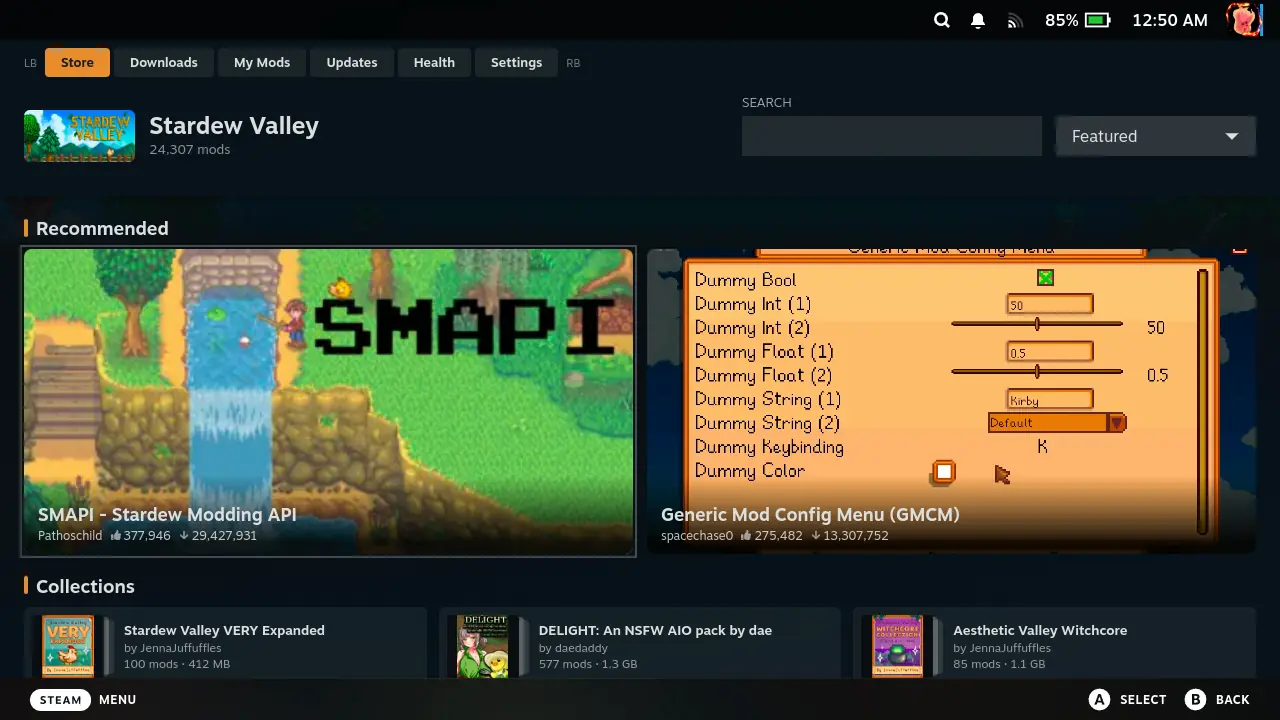
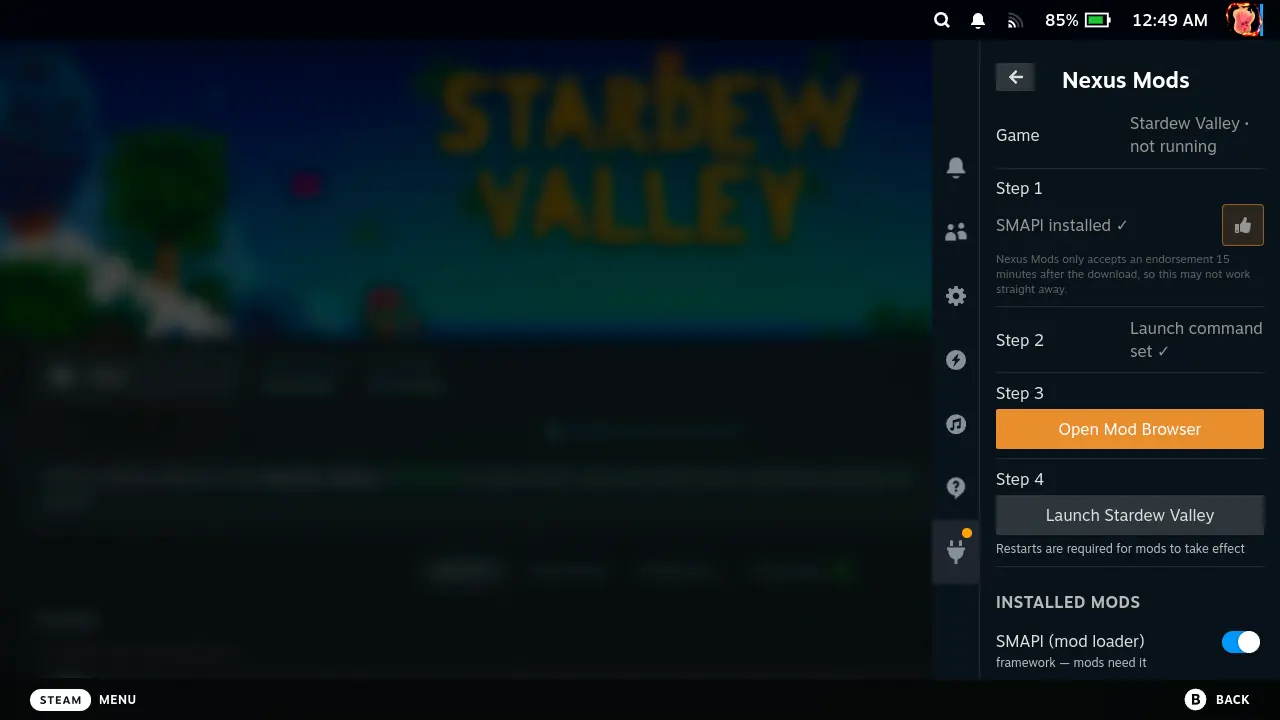
The software functions as a Decky loader plugin, integrating into the existing Steam Deck customization ecosystem. It allows users to search for mods within the app and apply them to supported titles without leaving the Steam interface. The developer built the core logic with assistance from the CLAUDE AI model. This integration ensures the tool adheres to the technical constraints of the handheld hardware.
- Supported Games: Cyberpunk 2077, Elden Ring, Fallout 4, Fallout: New Vegas, Resident Evil 4, Skyrim Special Edition, Slay the Spire 2, Stardew Valley, The Witcher 3
- Upcoming Games: Fallout 3, Hollow Knight: Silksong, Mount & Blade II: Bannerlord, Palworld
- Installation Method: Manual download from GitHub, install to plugin folder or via Game Mode developer tools
- Development Tool: CLAUDE (AI)
The initial release supports nine specific games, including Cyberpunk 2077, Elden Ring, and The Witcher 3. It also covers Fallout 4, Fallout: New Vegas, Resident Evil 4, Skyrim Special Edition, Slay the Spire 2, and Stardew Valley. Each title includes specific setup instructions, such as requiring SMAPI for Stardew Valley or xNVSE for Fallout: New Vegas. The developer plans to add support for Fallout 3, Hollow Knight: Silksong, Mount & Blade II: Bannerlord, and Palworld in the future.
Currently, installation requires manual intervention through the GitHub repository. Users must download the latest release zip file and place it in the Decky plugin folder or use the developer tools within Game Mode. Official support for the Vortex mod manager is pending, as the Vortex team is still working on Steam Deck compatibility. There is no confirmed timeline for when loader order editing or Vortex profile support will become available.
Source: SteamDeckHQ