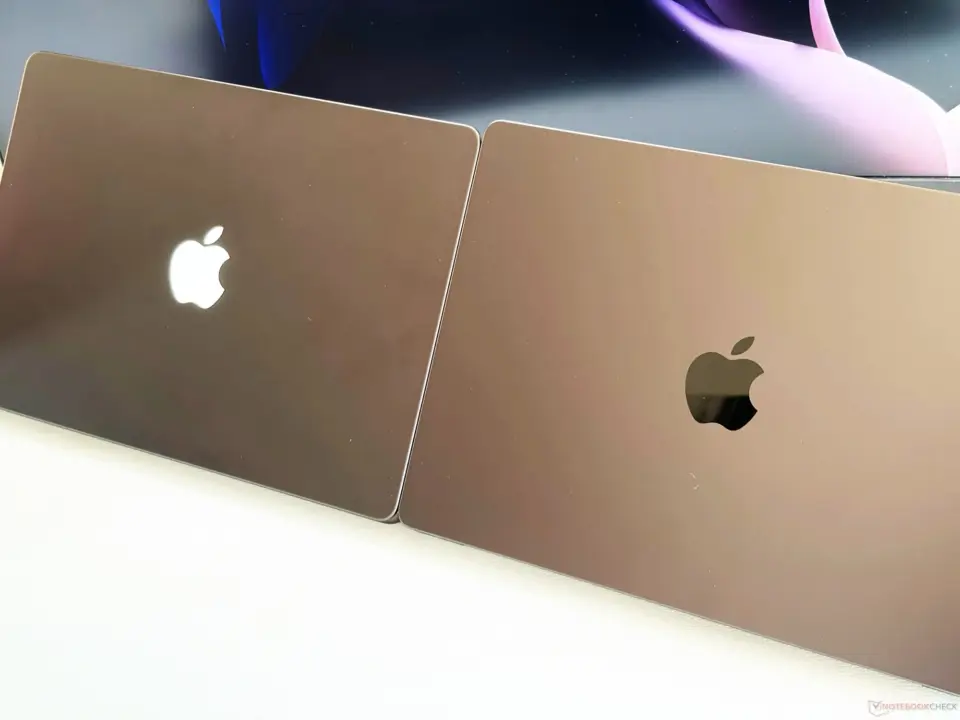
OLED MacBook Pros get a new way to customize the default Apple LED logo, which is entirely up to you if you want to use it. New macOS app from Juan Buis's called Backglow introduces new software control over the constant lighting of the built-in LED Apple logo, even when the laptop is closed. It's important because we're taking a static hardware element and making it a configurable status element for daily use.
New macOS app lets users customize the always-on Apple LED logo on MacBook Pro
The app is specifically directed at this new hardware change that the new MacBook Pro lineup has of the logo always being lit up. It lets you turn the light on or off, control the brightness, and also tie the glow brightness to the device's battery percentage, meaning you can quickly get a look at the battery status without needing to open the laptop and check out the logo.
Backglow app is all about simple visual cues and basic effects. There's a 'breathing' effect available to make it do something animated. And you can control the brightness.
For $9 of a Pro version, you also get a music visualizer effect that can sync with sound. Plus, it works with Claude Code to blink the logo depending on bot activity status.
We checked out Apple MacBook Pro to ditch notch earlier. Plus we follow Juan buis launches. But this is all about the back logo only.
We only see it's limited visual customization and integration with certain developer tools. We don't see any claims of performance effects or system resource use info.
Backglow is a paid app available with a regular and Pro version. The Pro version that includes advanced visualizer and Claude Code integration costs $9. It's a new level of personalizing your OLED MacBook Pro hardware.
Source: NotebookCheck


The kernel driver for the LED matrix is probably just polling a sysfs node. Tying brightness to battery is a simple read of the power supply attribute. Claude Code integration sounds like a custom Udev rule or a background watcher. No performance hit expected.