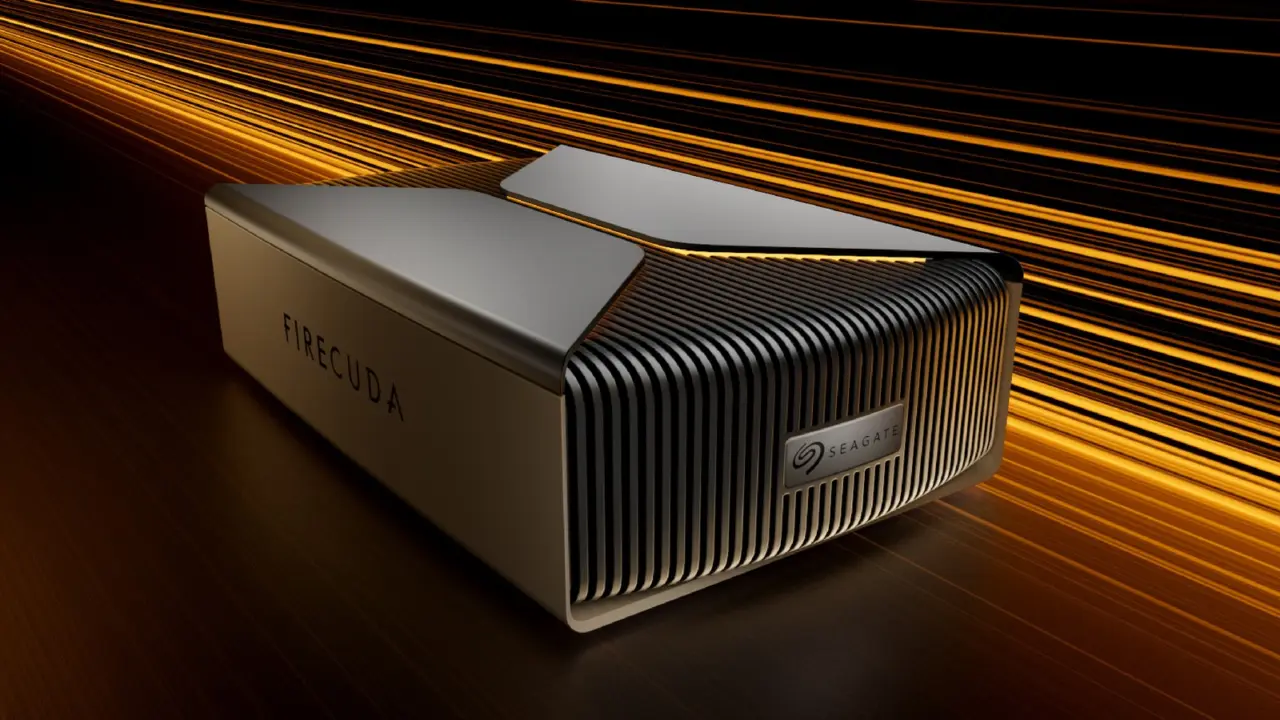
Seagate’s FireCuda Forge is a hybrid external drive that combines the performance of an SSD with the massive storage of an HDD. This is a game changer for creators and gamers that need to have huge libraries of files, but not want to wait on loading their active projects. No need to babysit multiple drives for hot and cold storage.
Hybrid external drive uses machine learning to manage storage tiers
The FireCuda Forge features Seagate's Alkemi tech that automatically manages your files with the help of machine learning. It monitors your usage and moves files between the internal HDD and the user-provided NVMe SSD. With this smart technology, any active games or video files will be moved to the faster SSD storage, while less frequently used files are archived on the larger HDD.
Specifications
- Storage: 8 TB or 20 TB HDD
- Interface: USB4
- Max Read Speed: 2,500 MB/s
- Max Write Speed: 2,000 MB/s
- SSD Requirement: M.2 2280 NVMe (up to 1 TB)
The interface is a USB4 that can reach 2,500 MB/s (read) and 2,000 MB/s (write) in sequential transfer speeds. It comes in 8 TB or 20 TB models from Seagate. Both require that you supply your own M.2 2280 NVMe SSD with up to 1TB storage space.
The SSD you provide needs to meet certain performance metrics as well. It needs to have at least PCIe 3.0 speeds, with a minimum read speed of 2,400 MB/s.
The FireCuda Forge is ideal for gaming, streaming and video editing. It has customizable RGB lights for those all important aesthetics. The drive can be used on Windows 11 and Mac OS 26 or later. Seagate promises that the hybrid drives will be the seamless storage solution you need to store all your media.
The 8TB FireCuda Forge retails for $699, while the 20TB model goes for $899. You can buy the FireCuda Forge today from the Seagate online store and their authorized resellers.
Source: NotebookCheck

USB4 is mandatory for these speeds. Most PCs still have USB 3.2 Gen 2×2. You will not hit 2,500 MB/s without a new port. The machine learning tiering is just a gimmick to sell the high price.
Does the enclosure get hot when the NVMe is writing to the HDD? I need to know if I can put this on my lap. Or is it strictly a desktop peripheral now?
It will get warm. The USB4 controller and the NVMe drive generate heat. The HDD is cold unless it is spinning up. Do not expect passive cooling to handle sustained writes without a fan.