Raspberry Pi published an official guide for building a portable custom computer, which gives users a structured path to create a rugged 'cyberdeck'. This reference build matters because it simplifies the assembly of a high-performance handheld system using standard components. Buyers who want a durable, all-in-one machine can follow the steps without guessing which parts fit together.
Official reference build details components and power requirements
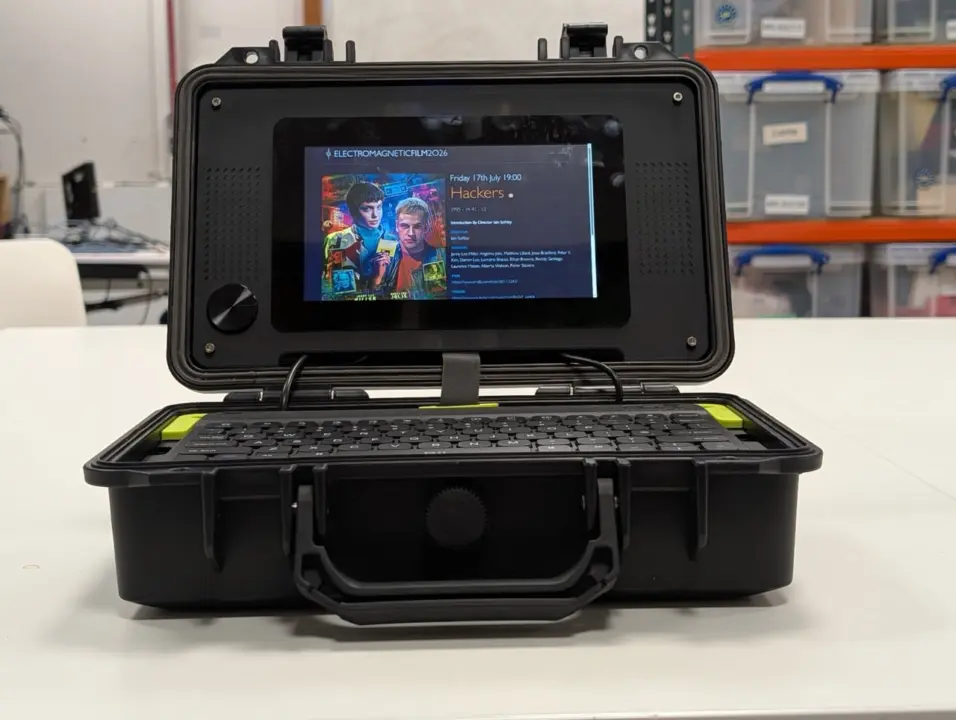
The core of the system is a Raspberry Pi 5 single-board computer. This main unit connects to a 7-inch Raspberry Pi Touch Display 2 for the visual interface. The design also incorporates a Bluetooth keyboard and small speakers for input and audio output. Raspberry Pi chose a rugged Pelican-style case to protect the electronics during transport.
Reference Build Specifications
- Main Computer: Raspberry Pi 5
- Display: 7-inch Raspberry Pi Touch Display 2
- Storage: 128GB Raspberry Pi flash drive
- Case: Rugged Pelican-style case
- Power Consumption (Pi 5): Up to 25W with USB ports fully loaded
Power management is a key consideration in this build. The Raspberry Pi 5 can require up to 25W when its USB ports are fully loaded. The 7-inch Touch Display 2 consumes around 3W at full brightness. Users must calculate these totals to ensure their power supply meets the combined demand of the computer and the screen.
The reference build includes a 128GB Raspberry Pi flash drive for storage. It also features an RTC battery to maintain timekeeping when the system is powered off. The guide is featured in Raspberry Pi Official Magazine #168 and is available online for free. We looked at similar portable builds earlier while tracking SBC accessories.
This guide confirms the specific component list for a durable, portable Raspberry Pi 5 setup. It provides clear power consumption figures to help builders avoid underpowered supplies. The free online access ensures anyone can start the project immediately.
Source: NotebookCheck