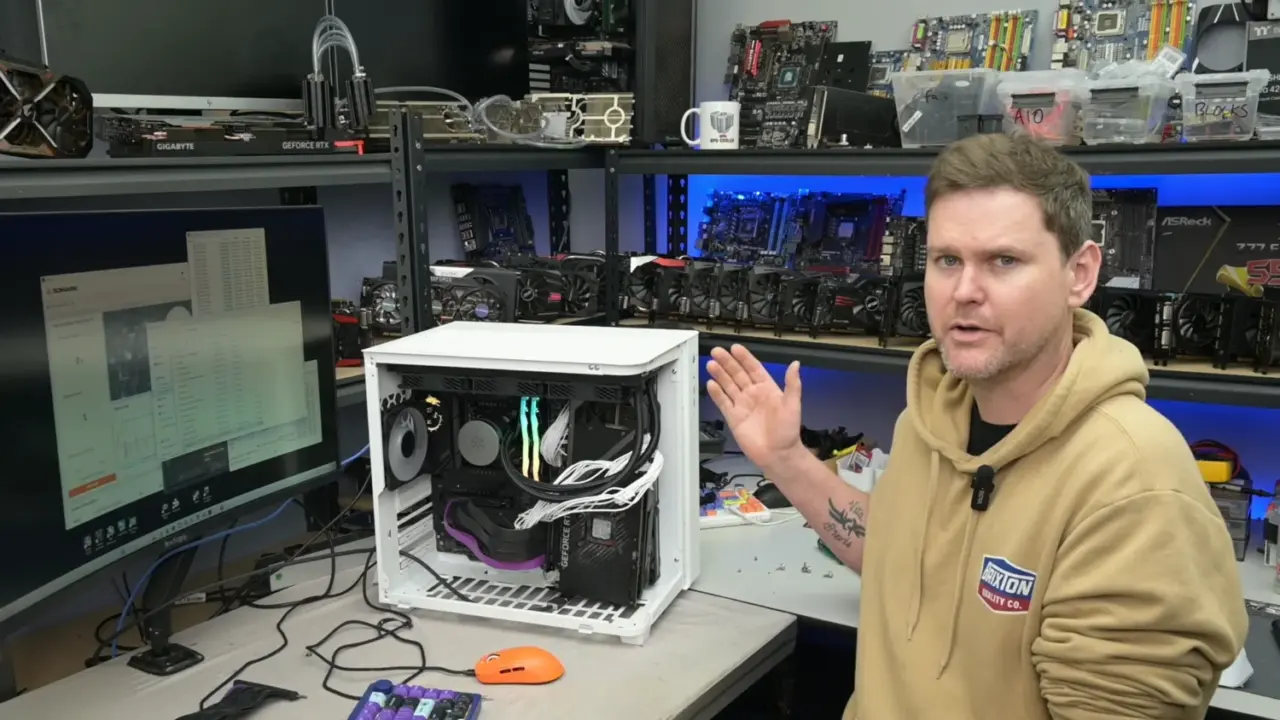
You can significantly lower the temperature of your graphics card by changing where you plug it into the motherboard. Moving an NVIDIA RTX 3080 away from the standard slot and placing it directly next to a case side-intake fan drops the GPU core temperature by 16.7C. This simple adjustment matters because it allows the card to run much cooler without any hardware modifications or expensive upgrades. Buyers who build custom PCs should consider this airflow trick to improve overall system stability.
Moving the card to the side-intake slot reduces hotspot temps by 19.3C
The test focused on the ROG Strix RTX 3080 graphics card inside a dual-chamber PC case. The YouTuber TrashBench conducted the experiment to see how different mounting positions affect thermal performance. The case featured side-intake fans that directed cool air directly onto the graphics card when mounted in the secondary slot. This setup isolates the GPU from the heat generated by other components on the motherboard.
- GPU Core Temperature Drop: 16.7C
- GPU Hotspot Temperature Drop: 19.3C
- VRAM Temperature Drop: 14C
- VRM Temperature Drop: 8C
- CPU Temperature Increase: 1.1C
Moving the card to the side-intake position reduced the GPU hotspot temperature by 19.3C and the VRAM temperature by 14C. The motherboard VRM temperatures also dropped by 8C due to the improved airflow around the graphics card. CPU temperatures increased by a negligible 1.1C in this configuration, which is a minor trade-off for the massive GPU cooling gains. Other positions, such as the bottom of the case or the rear chamber, did not provide similar thermal benefits.
Switching the top AIO fans from intake to exhaust further improved the thermal results by reducing CPU temperatures by an additional 3.3C. This configuration maintained the improved GPU thermals while actively cooling the processor. TrashBench noted that the best place to put a graphics card is not right on top of the motherboard, but next to the intake fans on a case. The specific case model used for the primary test was not identified, though it shared design traits with cases like the NZXT S5 RGB.
The experiment confirms that strategic component placement can drastically reduce operating temperatures in dual-chamber cases. Placing the RTX 3080 next to the side intake provides a clear thermal advantage over the primary PCIe slot. Users with compatible cases can replicate these results to keep their hardware running cooler under load.
Source: TweakTown

Discussion
0 comments